
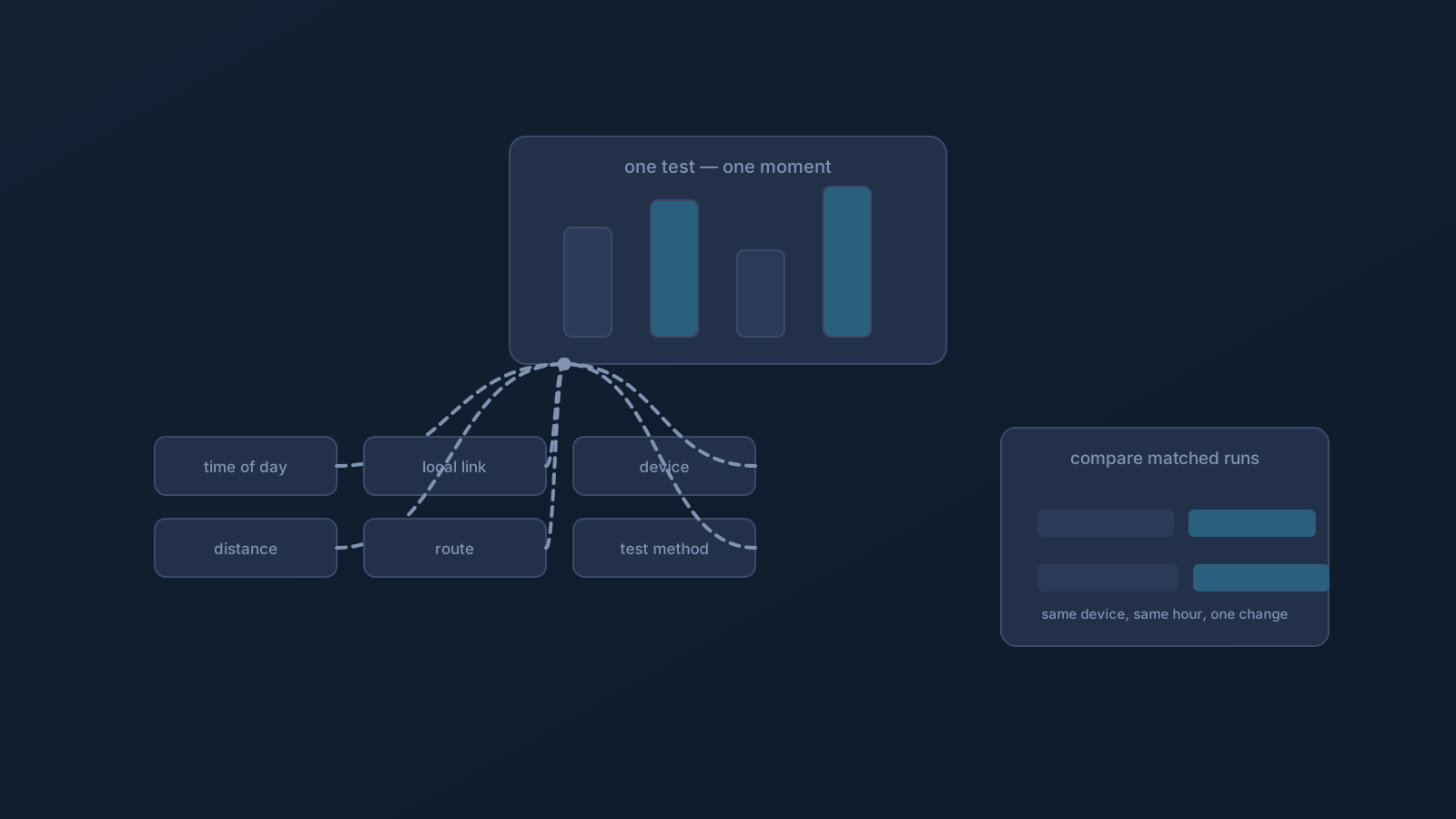
A speed test produces a number, and numbers feel like verdicts. But a test result is a measurement of one moment, on one path, through one set of conditions — and reading it as more than that is how people fool themselves in both directions, blaming a VPN for a busy network or crediting a setup for a quiet hour.
This article is about reading tests honestly: what the measurements mean, what actually moves them, and how to compare in a way that tells you something.
What a test actually measures
Most tests report a few distinct things. Latency is the round-trip delay between you and the test's endpoint — how long a small message takes to get there and back — and it's the number that distance and route influence most directly. Throughput figures describe how much data moved during the test's brief sampling window, in each direction. Each is a real measurement of that moment; none is a fixed property of "your connection," because the moment is part of what's being measured.
The first honest-reading habit follows immediately: never treat one run as a verdict. A single test tells you what one moment looked like; patterns across matched runs tell you about your setup.
The factors that move the numbers
A VPN adds a real variable — your traffic takes a path through the VPN route, and path length shows up in latency most visibly. But it joins a crowd of variables that move test results just as readily: the time of day and how busy networks are along the way, the quality of your local link at that moment (wireless conditions especially), what the device itself is doing while testing, how your internet provider routes traffic just then, the test service's own endpoint and method, and which direction of traffic the test emphasizes.
That crowd is why two tests an hour apart can differ meaningfully with nothing changed on your side — and why attributing every difference to the VPN gets the analysis wrong before it starts.
Distance and route, honestly stated
Path length matters, and it matters most for latency: a longer route means a longer round trip, as physics. This is why nearby routing is the sensible default for everyday use, and why Lisar's routing is designed to aim that way — based on approximate location, configured policy, what's operationally available, and the network path. It's a design goal rather than a promise, and a shorter path is one contributor to how a connection feels rather than a pledge about any number.
The same honesty applies in reverse: a deliberately specific exit — where a plan includes one — is chosen for consistency, and a longer path is part of that deliberate trade. Reading a latency figure without knowing which trade you chose is reading it out of context.
How to test so the result means something
Fair testing is mostly discipline about conditions. Test the same way each time: the same device, the same test service, comparable times of day, and a stable local link rather than a marginal wireless spot. Compare like with like — connected runs against connected runs under matched conditions, and any with/without comparison done back-to-back rather than across different hours. Run more than once and look at the pattern, not the outlier. And change one thing between comparisons, because a test that varies the network, the device, and the hour simultaneously has measured everything and isolated nothing.
Do that much and your results start meaning something: not a verdict about "speed," but a readable picture of how your setup behaves under the conditions you actually use it in.
Reading results without fooling yourself
A few interpretive habits close the loop. Expect variation and treat bands, not single numbers, as the signal. Let latency and throughput answer their own questions — a distant route can add delay while data still moves well, and those are different facts. Weigh the moment: an evening test on busy networks describes evenings, not your setup. And when a result genuinely surprises you across repeated, matched runs, that's an observation worth writing down — conditions, times, device, network — because specifics are what turn "it seems slow" into something official support can actually engage with.
No test, read well or badly, changes what this series has said throughout: performance depends on many parties between you and any service, and no number from one moment promises the next. Read tests as weather reports, not contracts, and they become genuinely useful.
Frequently asked questions
Why do my speed test results change between runs? Because the moment is part of what's measured: network busyness, local link quality, device load, provider routing, and the test's own endpoint all vary. Patterns across matched runs are meaningful; single results are snapshots.
How should I compare speed with and without the VPN? Back-to-back, under matched conditions: same device, same test service, same network, minutes apart — then repeated. Comparisons across different hours or networks measure the conditions, not the setup.
Does connecting through a VPN always add latency? A route adds path, and path shows up in latency — how much depends on where the route goes. Nearby routing keeps that contribution small by design, though actual behavior depends on real conditions; a deliberately specific exit trades some path length for consistency.
What latency or throughput numbers should I expect? This series doesn't quote expected numbers, because honest ones don't exist outside your specific conditions. Build your own baseline: matched, repeated tests on your usual device and network, read as a band rather than a verdict.
My results seem consistently poor — what now? Write down the specifics — times, device, network, whether connected, what the pattern looks like across matched runs — and bring them to official support. Specific observations are actionable; a single disappointing number isn't.