
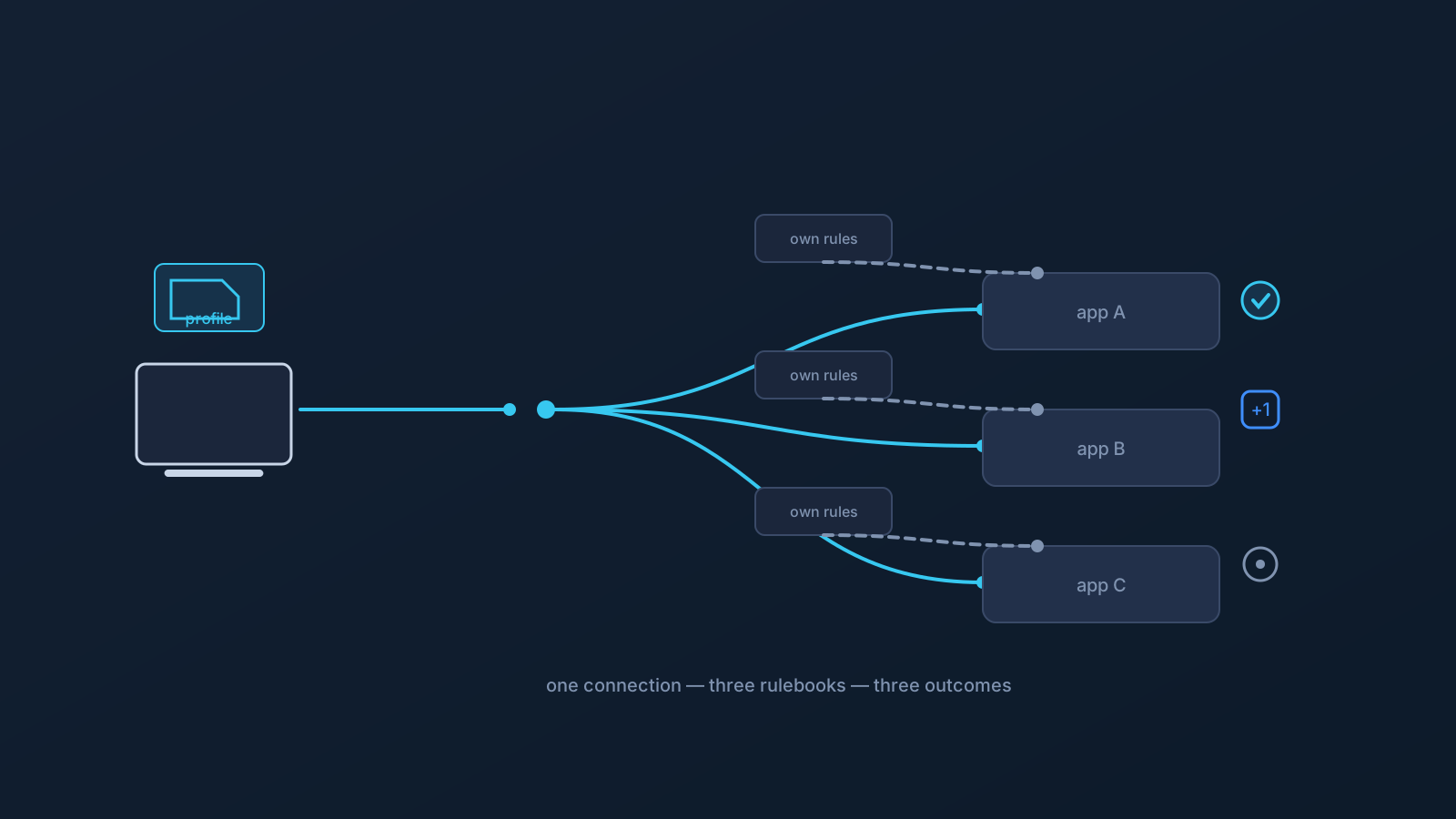
A familiar puzzle: with the same VPN connection, on the same day, one app behaves normally, another asks you to verify a sign-in, and a third wants a security review. The connection didn't change between them — so what did?
The answer is that each app brought its own rulebook. Apps and websites don't share one standard for evaluating a connection; each service decides for itself which signals matter, how much weight each gets, and what response a given combination deserves. Understanding that turns a confusing experience into a predictable one.
Every service runs its own evaluation
When you connect to an app or website, the service may weigh a range of signals: your account's history and age, how consistent your sign-in locations tend to be, the network's apparent location, device and session details, login behavior and timing, payment or billing region, and its own security rules. No two services weigh these identically, and most publish little about how they do it.
That's why a network change lands differently in different places. To one service, a new apparent location is unremarkable. To another, the same change is worth an extra verification step. To a third, combined with other signals, it's a reason for review. Same input; different rulebooks; different outputs.
The network is one signal, not the verdict
It's tempting to read every app reaction as being "about the VPN," but the network path is a single input among several. An account with years of steady history may sail through a change that a week-old account gets questioned for. A sign-in from a new device may draw attention that the same connection on a familiar device wouldn't. A payment-region mismatch may matter more to a commerce app than any network detail.
This cuts both ways. It means a VPN is rarely the sole cause of friction — and also that no VPN setup can be the sole cure for it. Services respond to the whole picture they see, and most of that picture is account- and device-side, not network-side.
Where consistency actually helps
Here's the honest scope of what you control. If your network picture is noisy — different apparent locations across the day because of switching networks, changing setups, or ad-hoc connections — some of that noise is avoidable. A consistent VPN profile, set up the supported way (download the .ovpn file, open OpenVPN Connect, choose Upload File, import and save the profile, and connect) and used steadily, can reduce that avoidable variation, giving services a steadier network picture of you for ordinary, legitimate use.
Reducing avoidable noise is genuinely useful: it removes one variable from the puzzle when something does need attention. What it is not is a lever over any service's decision. GeoDNS, DNS AdBlock and Custom Exit are available according to plan. Routing features follow the plan; the rulebooks stay with the services.
When an app does ask questions
Occasional verification is a normal part of how services protect accounts, not evidence something is broken. The productive response runs through the service itself: complete its verification steps, keep account details current — billing and contact information especially, since those are signals some services weigh — and use that platform's own support channel if something needs resolving. Every platform's terms and account policies apply as written; friction is handled within a service's process, not by working around it.
If the same app questions you repeatedly, the useful move is reducing the variation you control — steadier setup, familiar devices, current account details — and then letting the service's own process do its work.
A short diagnostic for "why this app, why now"
- Is the account new, or newly used on this device? History and device familiarity are heavyweight signals.
- Did anything else change alongside the network — new device, new payment method, unusual sign-in time?
- Is your own network picture steady, or have you been switching setups and connections?
- Does the app's own status page or help center mention increased verification generally?
- Have you completed the service's verification steps, rather than retrying around them?
Working through those questions usually explains the difference between the app that shrugged and the app that asked — and points at the parts of the picture that are actually yours to steady.
One last reframe helps: think of each service as protecting its users from account takeovers using imperfect information. Seen that way, an occasional extra step isn't the system failing — it's the system erring briefly on the side of caution, with a built-in path back to normal. Users who complete that path calmly, keep their details current, and hold their own setup steady tend to see the questions taper off on their own.
Frequently asked questions
Why does one app work fine on my VPN while another asks me to verify? Because each service evaluates connections by its own rules, weighing signals like account history, location consistency, device details, login behavior, and payment region differently. The same network change can be unremarkable to one service and worth a verification step to another.
Does app friction mean my VPN is misconfigured? Not necessarily. The network path is one signal among several a service may weigh; account age, device familiarity, and billing details often matter as much or more. A steady, supported setup removes the avoidable network noise, but services respond to the whole picture.
Can a consistent VPN profile stop apps from ever questioning me? No. It can reduce avoidable variation in your network picture, which helps, but verification decisions belong to each service and can be triggered by many non-network signals. Occasional checks are normal account protection.
What should I do when an app asks for verification? Complete the service's own steps, keep billing and contact details current, and use that platform's support channel if something needs resolving. Friction is resolved within a service's process — each platform's terms and policies apply as written.