
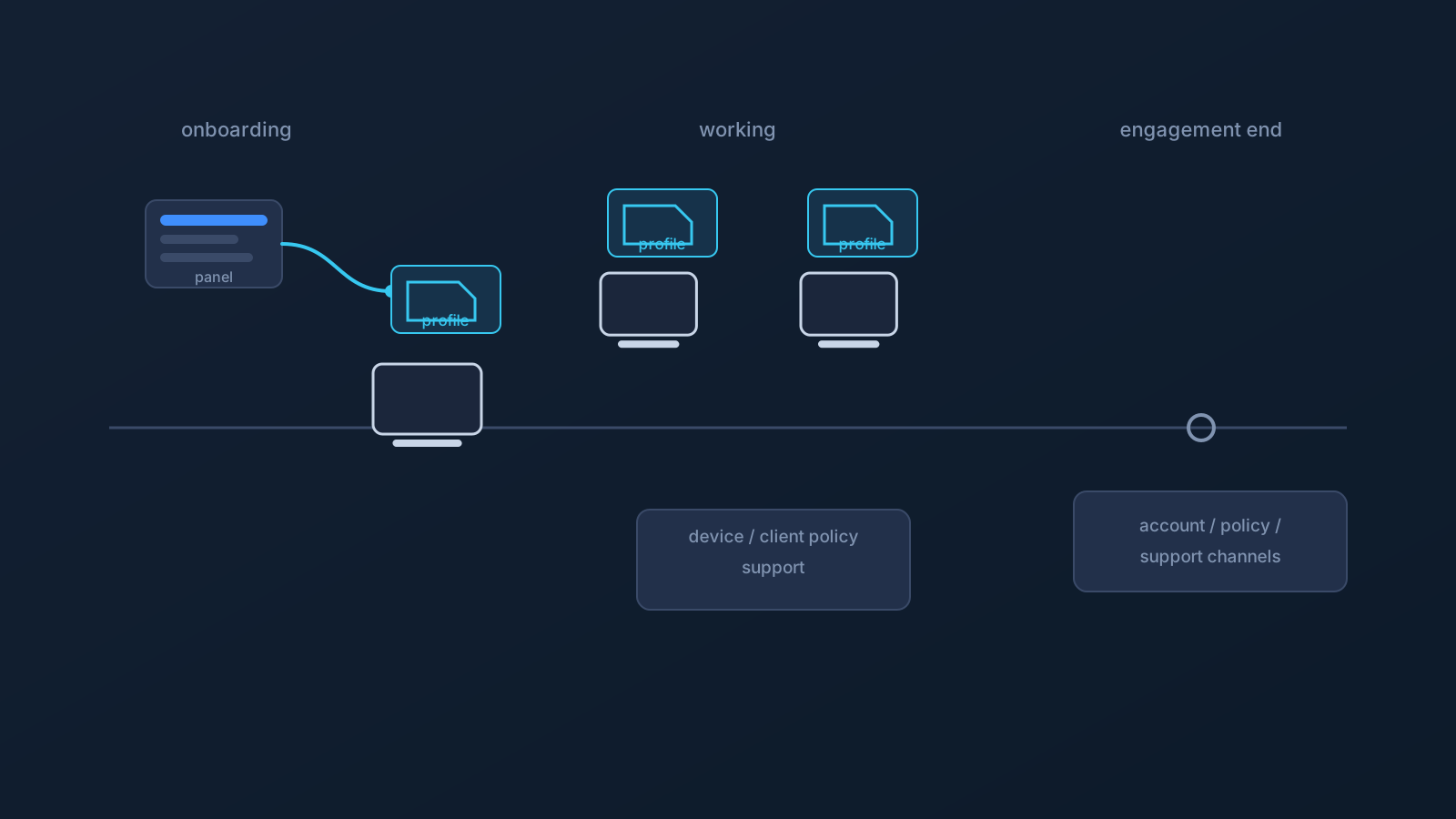
Contractor VPN setup is where a team's worst habits surface first. A contractor joins on short notice, needs to be productive by Thursday, and somebody "helps" by pasting connection details into the chat — and now setup information that should never have left one person's panel is sitting in a thread with someone who, by definition, will leave.
Contractors should not receive copied VPN details in chat, and contractor VPN setup should not be improvised. This article covers the contractor-specific version of setup planning: per-person profiles, onboarding and offboarding awareness, device ownership, client policy, and honest access expectations — because a contractor abroad with a working VPN setup still reaches only what the company's own controls allow.
Contractor VPN setup should not be improvised
The structural fact about contractors is turnover by design: they arrive mid-project, work under someone else's policies, and leave on a known or unknown date. Every one of those facts argues against improvised setup — the arrival argues for a repeatable onboarding step, the policies argue for checking before configuring, and the departure argues for setup that's cleanly per-person from day one.
Improvisation optimizes for Thursday and creates problems for the rest of the engagement. A structured contractor setup may take slightly more planning upfront, but it is easier to explain and support for the rest of the engagement — which is the goal.
Contractors need their own setup path, not copied details
The correct contractor onboarding shape is the same as any team member's, applied without shortcuts: the contractor gets their own Lisar panel profile access where applicable; they follow the setup guide for their actual device; and they set up via the supported path — downloading the .ovpn profile file from their own profile in the Lisar Panel and importing it in OpenVPN Connect using Upload File, no mandatory proprietary Lisar app — using their own profile's information. They also know who answers setup questions, through which channel.
What contractor onboarding must never include: someone else's downloaded .ovpn profile file, a screenshot of a working setup, credentials in a document, or details pasted into chat. No shared profiles, no shared profile files, no shared credentials, no mass-distributed setup details — each contractor's setup is theirs, sourced from their own profile, full stop.
Profile ownership and profile-file safety
Per-person profile ownership is what makes the rest of the contractor lifecycle manageable. When each contractor's setup information lives in their own panel profile — and downloaded profile files stay on that contractor's own devices — there's far less ambient material to worry about later: no thread to scrub, no shared doc with live details, no wondering who still has what.
The standing habits: profile-specific setup information comes from the contractor's own Lisar panel profile when needed, not from saved copies; downloaded .ovpn profile files, credentials, and profile details stay out of notes, shared documents, and chat threads — a downloaded profile file is sensitive setup material, not a shareable convenience; and any troubleshooting screenshot gets checked for profile-specific details before it's sent to anyone. The "VPN Profile File Safety" article covers the full set of habits (its own wording is being aligned to the current setup flow).
Contractor-owned vs company-managed devices
Contractors work on a wider mix of hardware than employees: their own laptops, company-issued machines, and sometimes client-provided devices — each with different authority over setup.
On contractor-owned devices, the contractor controls setup within whatever their engagement's terms require. On company- or client-managed devices, the managing organization's policy controls what installs, which profiles load, and which settings change — and VPN setup works within that policy, not around it. The pre-engagement question is simply which category each device falls into, and who owns the policy for the managed ones. The "Company-Managed Devices and VPN Setup" article covers the managed side in depth.
Client policy and employer policy still apply
A contractor abroad sits under at least two rule sets: the engaging company's policies and, often, an end-client's on top. Both keep applying regardless of location and regardless of VPN setup — a VPN doesn't override employer policy, client policy, device policy, or any service's own rules, from any country.
For agencies placing contractors, this is worth making explicit in onboarding: whose policies govern which systems and devices, and who the contractor asks when the answer isn't obvious. Ambiguity here is how well-meaning contractors end up improvising against rules nobody told them about.
Working abroad does not guarantee service access
The access expectation deserves its own plain statement, because contractor engagements often assume it silently: a working VPN setup does not guarantee a contractor access to the company's systems, work tools, SaaS platforms, or any specific service — from abroad or anywhere else.
What a contractor can reach depends on the company's own access decisions: identity controls, device requirements, service configurations, and policy. And services the contractor uses personally — banking or public-sector portals from their home country, for instance — apply their own checks (account region, device history, 2FA, payment region, fraud controls) alongside or instead of network location. Connection setup is the contractor's side; access is granted, or not, on the owners' side.
Public Wi-Fi, coworking, and travel networks
Contractors abroad disproportionately work from networks nobody in the engagement controls: coworking spaces, cafés, short-term apartments, hotels. None of those becomes fully safe because a VPN is in the picture, and no network is guaranteed to allow or support every setup.
The habits are the standard ones, held indefinitely: devices updated, safe browsing, caution on shared machines, and a known fallback when a network doesn't cooperate. The "Public Wi-Fi for Work Travel" article is the depth treatment.
Router or shared-network scenarios for contractor teams
Occasionally a contractor scenario includes shared infrastructure — a project office, a shared workspace a team controls — where router or network-device setup is worth considering alongside per-device setup. That model applies only to compatible routers and network devices, doesn't cover every device the same way, and for business or custom scenarios may involve setup guidance, pricing guidance, custom review, and official support.
It also changes nothing about this article's core: per-contractor profiles, policy compliance, and access expectations all stand regardless of where the connection is handled. The router-vs-device decision guide covers when that model fits.
Onboarding and offboarding expectations
Onboarding, consolidated: own profile access where applicable; setup from their own profile via the supported path and current guide; device category (own vs. managed) established, with policy owners identified for the managed ones; support channel known; and zero setup details in chat, docs, or notes at any point.
Offboarding is the part contractor planning forgets, so it gets its own planning principle: contractor setup should be planned with the end of the engagement in mind, and onboarding should avoid creating shared setup artifacts that later need cleanup. When setup was kept per-person from the start — nothing shared, nothing saved in threads — ending an engagement is simply easier to reason about, and offboarding questions are easier to route through the proper account, policy, and support channels, because old chat threads and shared documents never became part of the picture. Account-specific details belong with the Lisar panel and official support; the planning point is that the end of an engagement is easiest when the beginning was disciplined.
Frequently asked questions
What's the right way to get a new contractor set up quickly and safely?
Their own path: profile access where applicable, the setup guide for their actual device, and setup by downloading the .ovpn profile file from their own Lisar panel profile and importing it with a compatible OpenVPN client's Upload File flow. Slightly more care on day one; fewer avoidable questions every day after.
Can we send the contractor a colleague's downloaded profile file to start with? No. No shared profile files, no shared credentials, no copied profile details — each contractor's setup comes from their own profile, and nothing setup-related goes through chat, docs, or notes.
A contractor abroad has their VPN working. Can they now reach our internal tools? Only if your company has granted that access through its own identity, device, and policy controls. A working connection doesn't create access, from abroad or anywhere.
Whose rules apply on a client-provided laptop? The client's. Managed devices follow their managing organization's policy, and VPN setup works within it — the pre-engagement step is identifying which devices are managed and who owns each policy.
Do contractors on public or coworking Wi-Fi get full protection from the VPN? No network becomes fully safe because of a VPN. Updates, safe browsing, and caution on shared machines remain the contractor's standing habits.
What should offboarding look like on the VPN side? Easier to reason about when setup was per-person from the start — nothing shared, nothing in threads means old chat history never becomes offboarding cleanup. Account-specific questions belong with the Lisar panel and official support.
Does working from a different country change any of this? It changes the networks and sometimes the contractor's personal services (which apply their own checks), but not the fundamentals: per-person setup, policy compliance, and no access guarantees hold everywhere.