
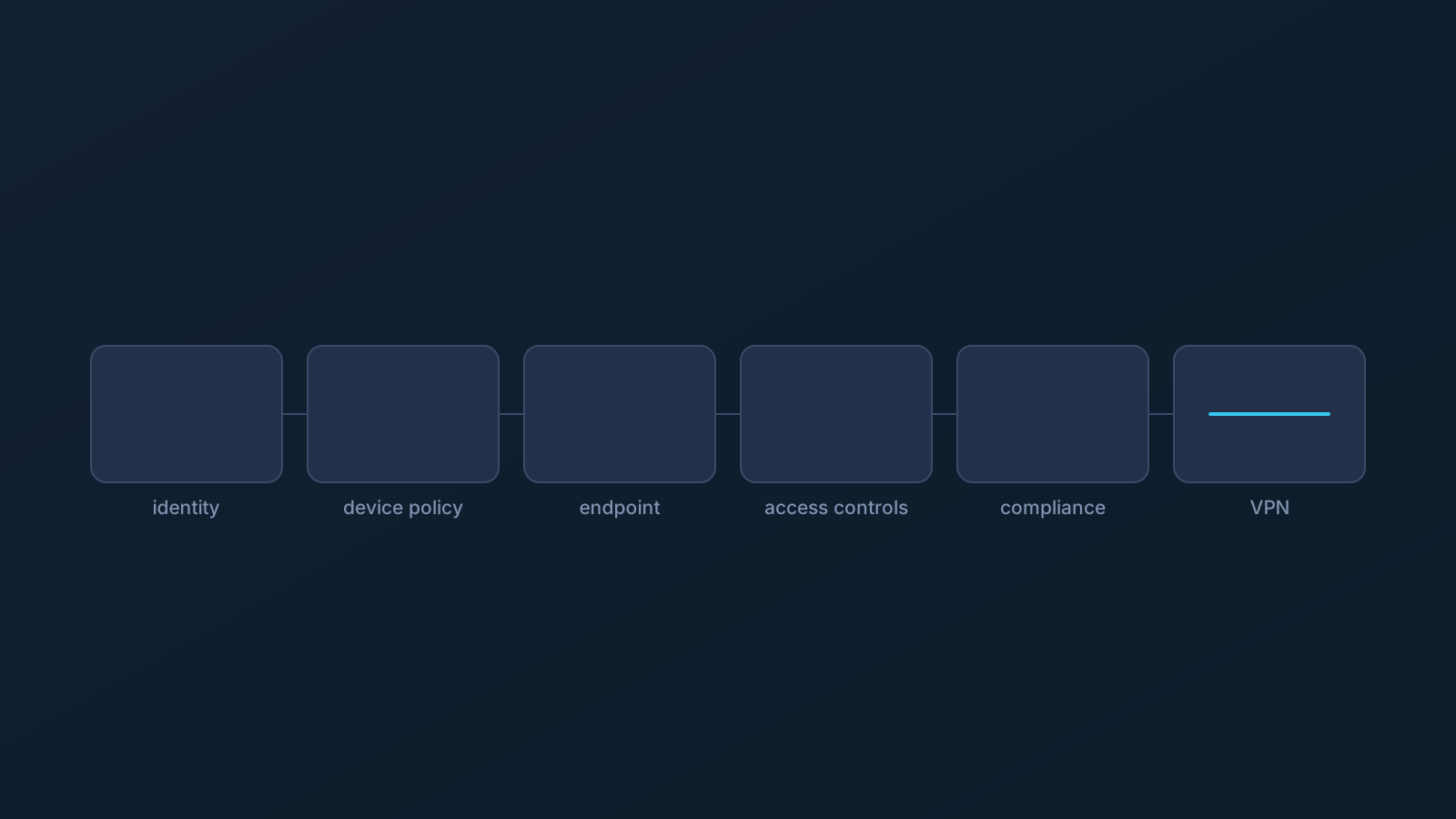
Here is a sentence you will rarely read from a VPN provider: a VPN is not your company's security stack. It's one part of connectivity planning — genuinely useful in that role — and it does not replace identity management, endpoint security, device policy, firewall and access controls, or compliance processes. A small business that treats VPN setup as its security story hasn't bought security; it's bought a connection path and a false sense of completion.
This isn't an anti-VPN article. It's a boundary article, and the boundary is the point: knowing precisely what a VPN does and doesn't cover is what makes it usable in honest planning. Trust is built on limits stated plainly, so here they are, control by control.
A VPN is useful, but it is not the whole security stack
What a well-planned VPN setup contributes is real: a consistent, supported connection path for each person — with Lisar, standard VPN setup methods — the .ovpn profile file downloaded from the Lisar Panel and imported in OpenVPN Connect using Upload File, each person's setup from their own panel profile, no mandatory proprietary Lisar app. That's worth planning properly, and the rest of this series covers how.
What it is not is a security program. Security stacks exist in layers because different controls answer different questions — who are you, is this device healthy, what may you reach, what does the rule say — and a VPN answers none of those. It sits alongside the layers, not in place of any of them.
VPN vs identity management and SSO
Identity management and single sign-on answer who is this, and how do we know: accounts, authentication, verification, session rules. A VPN setup carries no opinion on any of it — a connection path neither authenticates a person to your systems nor decides which identity requirements they must meet.
A VPN does not replace IAM or SSO. If a company's systems require identity verification — and they should — those requirements keep applying to every user, VPN setup or not, exactly as configured.
VPN vs endpoint security and device protection
Endpoint security answers is this device safe: malware defense, device health, threat response on the machine itself. A VPN setup does nothing on that layer — it doesn't scan, doesn't detect, doesn't protect the device from anything it downloads, runs, or plugs in.
A VPN does not replace endpoint security, and the same goes for the adjacent habits: OS updates, safe browsing, and device hygiene remain their own responsibility on every machine, with or without any VPN in the picture.
VPN vs MDM and device policy
Device management answers what may this machine do: which apps install, which profiles load, which settings change, enforced by policy. A VPN setup lives under that layer, not above it — it's one of the things device policy governs, never a way around what policy decides.
A VPN does not replace MDM or device policy, and it doesn't override them either. On managed devices, policy defines which setup paths are even available — the "Company-Managed Devices and VPN Setup" article covers that in full.
VPN vs firewall policy and access controls
Firewall policy and access controls answer what may reach what: which traffic passes, which users reach which resources, under which rules. Those decisions belong to whoever owns the network and the systems, enforced by their own controls — and they keep applying to every connection, however it was set up.
A VPN does not replace firewall policy or access controls, and a working VPN connection does not grant access to anything those controls protect. Access is granted on the owner's side or not at all; the "Remote Access VPN vs Standard VPN Setup" article covers that distinction in plain English.
VPN vs compliance and internal IT rules
Compliance processes and internal IT rules answer what does the obligation require: regulatory duties, audit requirements, data-handling rules, and the organization's own policies. None of that is satisfied, shortcut, or altered by any VPN setup — a connection path has no compliance properties.
A VPN does not replace compliance processes or internal IT rules. What a specific organization's obligations require is a question for its compliance and legal functions; this article isn't legal or compliance advice and doesn't pretend to be.
Why access still depends on systems outside the VPN
Pull the layers together and the pattern is one sentence: everything that matters about access is decided by systems a VPN doesn't touch. Identity controls decide who you are; device policy decides what your machine may do; access controls decide what you may reach; compliance decides what the rules require. A VPN setup guarantees access to none of it — not company systems, not work tools, not SaaS platforms, not any specific service.
That's not a VPN shortcoming; it's the design of layered security working as intended. The failure mode is only ever the assumption — expecting a connection path to do a control's job.
Where DNS AdBlock fits, and where it does not
One Lisar feature deserves this treatment by name, because "block" invites the wrong shelf. DNS AdBlock, where a plan includes it, may help reduce some unwanted DNS requests. That is the whole claim — and it is not endpoint security, not antivirus, not malware protection, and not browser-level ad blocking.
It depends on plan and, in some cases, custom review, and it belongs on the connectivity shelf next to the VPN itself — never in the security stack's endpoint layer. The DNS AdBlock article covers it properly.
What small businesses should plan alongside VPN setup
The constructive version of everything above, as planning prompts rather than product advice: identity — how are accounts and sign-on actually managed, and does anything still share credentials? Devices — what protects each machine, and who owns policy for the managed ones? Access — who decides what each person reaches, and is it written down anywhere? Rules — which compliance obligations and internal policies apply, and who owns them? Support — who answers when any of these layers has a question?
None of those answers comes from a VPN, and each is worth an owner. What a specific business needs on each layer is a question for its own IT, security, and compliance functions — the planning prompt is simply that the layers exist and deserve deliberate answers alongside, not instead of, connectivity planning.
Frequently asked questions
Does a VPN replace endpoint security or antivirus? No. A VPN setup doesn't scan, detect, or protect a device from anything it runs or downloads. Endpoint security is its own layer, owned separately.
We use SSO for our tools. Does a VPN interact with that? Your identity requirements keep applying exactly as configured, to every user, with or without a VPN. A VPN doesn't replace IAM or SSO and carries no opinion on authentication.
If our team's VPN is set up, do we still need MDM or device policy? Yes — and on managed devices, policy actually governs which VPN setup paths are available at all. A VPN lives under device policy, never above it.
Does a working VPN connection get our people through our firewall or access controls? No. Access is granted by whoever owns the systems, through their own controls, and a connection path doesn't grant access to anything those controls protect.
Is DNS AdBlock a security feature? No. Where a plan includes it, it may help reduce some unwanted DNS requests — and it is not endpoint security, antivirus, malware protection, or browser-level ad blocking.
Does any of this satisfy compliance requirements? No. Compliance obligations and internal IT rules are their own layer, owned by your compliance and legal functions — a VPN setup has no compliance properties, and this article isn't compliance advice.
So what should a small business actually do with this? Plan the layers deliberately: identity, devices, access, rules, support — each with an owner — alongside VPN setup rather than instead of it. The constructive checklist is in the article.