
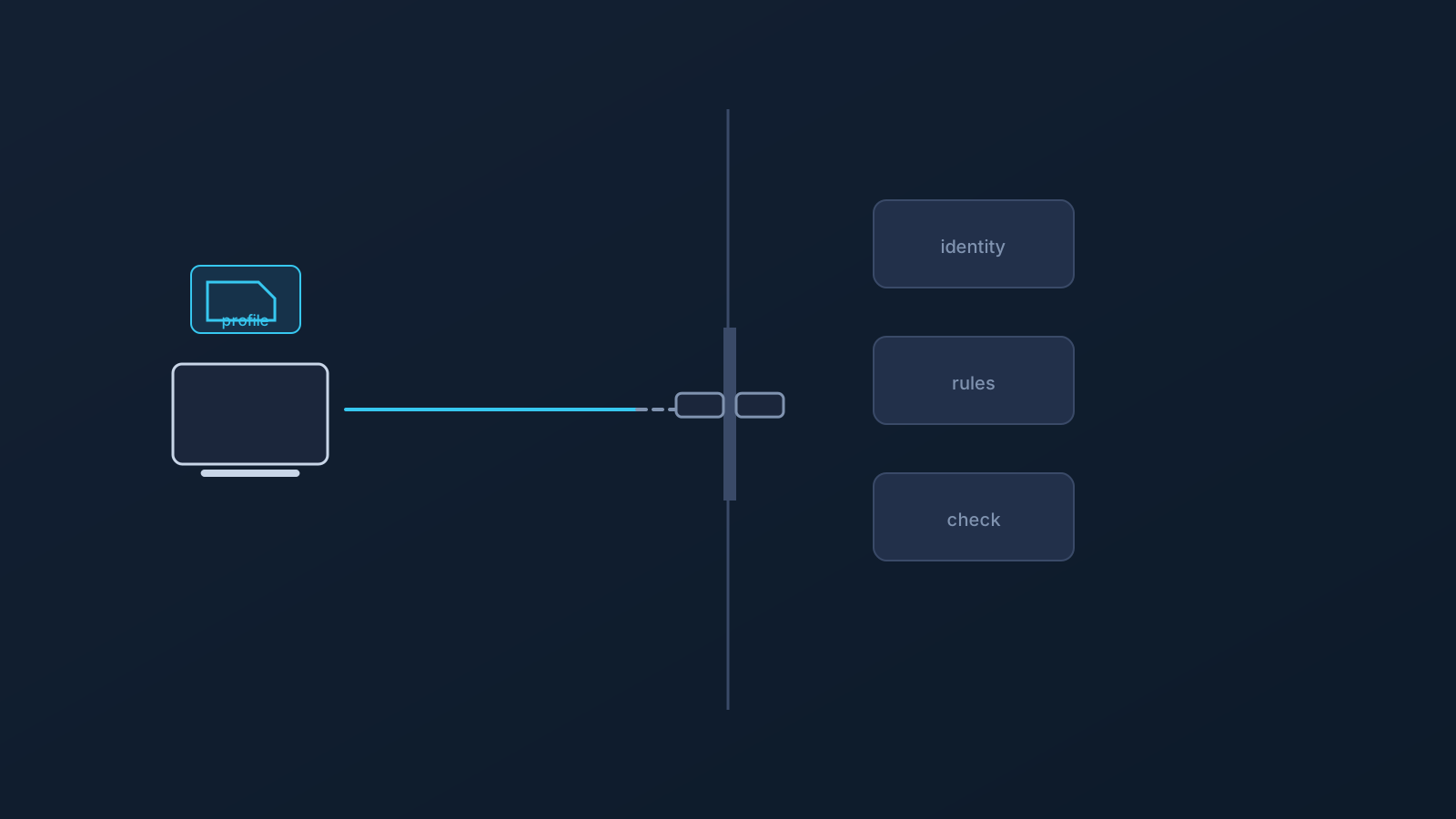
"Remote access VPN" and "VPN setup" get used interchangeably in team conversations, and the confusion isn't harmless. One phrase is usually about reaching a company's private systems from outside; the other is about how an individual sets up their own connection path. Treat them as the same thing, and a team ends up expecting company-network access from a setup that was never about that — or buying architecture it didn't need.
Remote-access language should be handled carefully, because access and connection setup are not the same thing. This guide separates the two in plain English, and is upfront about its own boundary: nothing here claims or implies that a VPN setup guarantees access to company systems, private networks, or internal tools. Access is decided elsewhere.
Why the wording matters
Words set expectations, and expectations drive purchases and plans. A founder who hears "remote access VPN" and thinks "our contractors will reach the internal wiki" is planning around an access outcome; a contractor who hears "VPN setup" and thinks "I'll be inside the client's network" is expecting a door to open. If the thing being set up is a connection path rather than an access grant, both people are headed for disappointment that better wording would have prevented.
The fix is cheap: teams should say "access" only when they mean access — something granted and controlled by whoever owns the systems — and "setup" when they mean a user's own connection configuration.
What people often mean by remote access VPN
In common usage, "remote access VPN" describes an arrangement where a user connects into a private or company network from outside — reaching internal tools, file shares, or environments as if on the office network. The defining feature isn't the VPN technology; it's the destination: someone's private systems, with an organization deciding who gets in.
That arrangement lives on the organization's side. It involves their network architecture, their identity controls, their policies — the whole apparatus of deciding and enforcing who reaches what. A user can't create it from their end, and no user-side setup conjures it.
What standard VPN setup usually means for an individual user
Standard VPN setup, as this series uses the phrase, is user-side: a person configures a VPN profile or client for their own connection path. With Lisar, that means standard VPN setup methods — the .ovpn profile file downloaded from the Panel and imported in OpenVPN Connect using Upload File, profile-specific information from the person's own Lisar panel profile, no mandatory proprietary Lisar app.
Notice what that description contains: a connection path, a client, a profile. And what it doesn't: any promise about what the connection reaches. Standard setup is about how a user connects, and it is silent — deliberately — about what any given system will let that user access.
Why access and connection setup are not the same thing
Here is the whole distinction in two sentences. Connection setup is what the user configures on their side: client, profile, path. Access is what a system's owner grants and enforces on theirs: who may reach which resources, verified how, under which policy.
A working connection does not create access, and access controls don't evaporate because a connection exists. The two interact — access usually presumes some connection — but they are answered by different people with different authority, and conflating them is how "we set up a VPN" mutates into "so we can reach the client's systems now," which does not follow.
Company systems still depend on policy and access controls
Whether anyone reaches a company system depends on that company's side of the equation: its policies, its identity controls and sign-on requirements, its device rules, its service configurations, and its internal architecture. Those controls exist precisely so that a connection alone is not enough, and they keep working regardless of anyone's VPN setup.
So the honest planning statement for any team is: VPN setup does not guarantee access to company systems, private networks, internal tools, or client environments — and shouldn't be expected to. What a team member can reach is a question for whoever owns the systems, answered through that organization's IT and access processes.
Where the .ovpn profile file download fits
Within its honest lane — user-side connection setup — Lisar's supported setup path does its job well: each person downloads the .ovpn profile file from their own Lisar Panel profile and imports it in OpenVPN Connect using Upload File.
The team habits are the usual ones: no downloaded .ovpn profile files, credentials, or profile details in shared documents or chat threads, and each person sets up from their own profile. None of which, to keep the theme, grants anyone access to anything — it configures their connection path, cleanly.
Where router or business planning may fit
Some teams reading about remote access are actually shopping for something else: an office or shared-workspace scenario where router or network-device setup makes sense, or a business routing need worth planning properly. Those are real planning tracks — router setup for compatible routers and network devices only, and business/team scenarios handled with setup guidance, pricing guidance, custom review where applicable, and official support.
Neither track changes this article's point. Router setup relocates where a connection is handled; business planning organizes who sets up what. Access to anyone's systems remains a question for the systems' owner.
Where Custom Exit, GeoDNS, and DNS AdBlock do not change access rules
Plan-dependent features deserve the same clarity. Custom Exit relates to VPN traffic exit behavior where eligible — it typically involves custom review, and it isn't a universal country switch, an arbitrary location choice, a content-access guarantee, or self-service location switching. GeoDNS is DNS-related behavior where available, not a guaranteed region switch. DNS AdBlock may help reduce some unwanted DNS requests where available; it isn't endpoint security, antivirus, malware protection, or browser-level ad blocking.
None of the three touches access rules. A system that requires identity verification, device compliance, or policy approval requires them regardless of exit behavior or DNS handling. All three depend on plan and, in some cases, custom review; each has its own article.
Questions teams should ask before using remote-access language
Before "remote access" appears in a team's plan, budget, or contractor onboarding doc:
- What specifically do we mean — reaching whose systems, owned and controlled by whom?
- Has that owner actually granted the access, through their identity, device, and policy controls?
- Are we describing a connection path (user-side setup) or an access grant (owner-side decision)?
- If a contractor or new hire hears this phrase, what will they expect to reach — and is that expectation true?
- Who answers when expected access doesn't materialize: the connection side, or the systems' owner?
Teams that can answer these are using the words precisely. Teams that can't are one ambiguous phrase away from planning around access nobody granted.
Frequently asked questions
Is a Lisar VPN setup a remote access VPN for our company network? No — and no user-side VPN setup is, by itself. Reaching a company's private systems depends on that company's access controls, identity requirements, device rules, and policy. Lisar's setup covers a user's own connection path.
If our contractor sets up a VPN, can they reach our internal tools? Only if your organization grants that access through its own controls. A working connection does not create access; your systems' rules decide who reaches what.
Does Lisar replace our company's remote-access system or access controls? No. Lisar doesn't replace zero-trust architecture, IAM, SSO, MDM, firewall policy, or any access control — and this article makes no claim of private-network or site-to-site capability.
Then what does standard VPN setup actually give a team member?
A configured connection path of their own: a compatible OpenVPN client, set up via .ovpn profile file from their own Lisar panel profile, on supported paths. How they connect — not what any system lets them access.
Do Custom Exit or GeoDNS help us reach internal systems? No. Custom Exit relates to exit behavior where eligible, GeoDNS to DNS behavior where available, and neither changes any system's access rules.
Our team keeps saying "remote access" loosely. Does it matter? Yes — loosely used, the phrase plants access expectations nobody has granted. Say "access" when an owner has granted it; say "setup" when describing connection configuration.
Who should we ask about accessing a specific company system? Whoever owns it: that organization's IT and access processes. Connection setup questions go to setup guides and official support; access questions go to the systems' owner.