
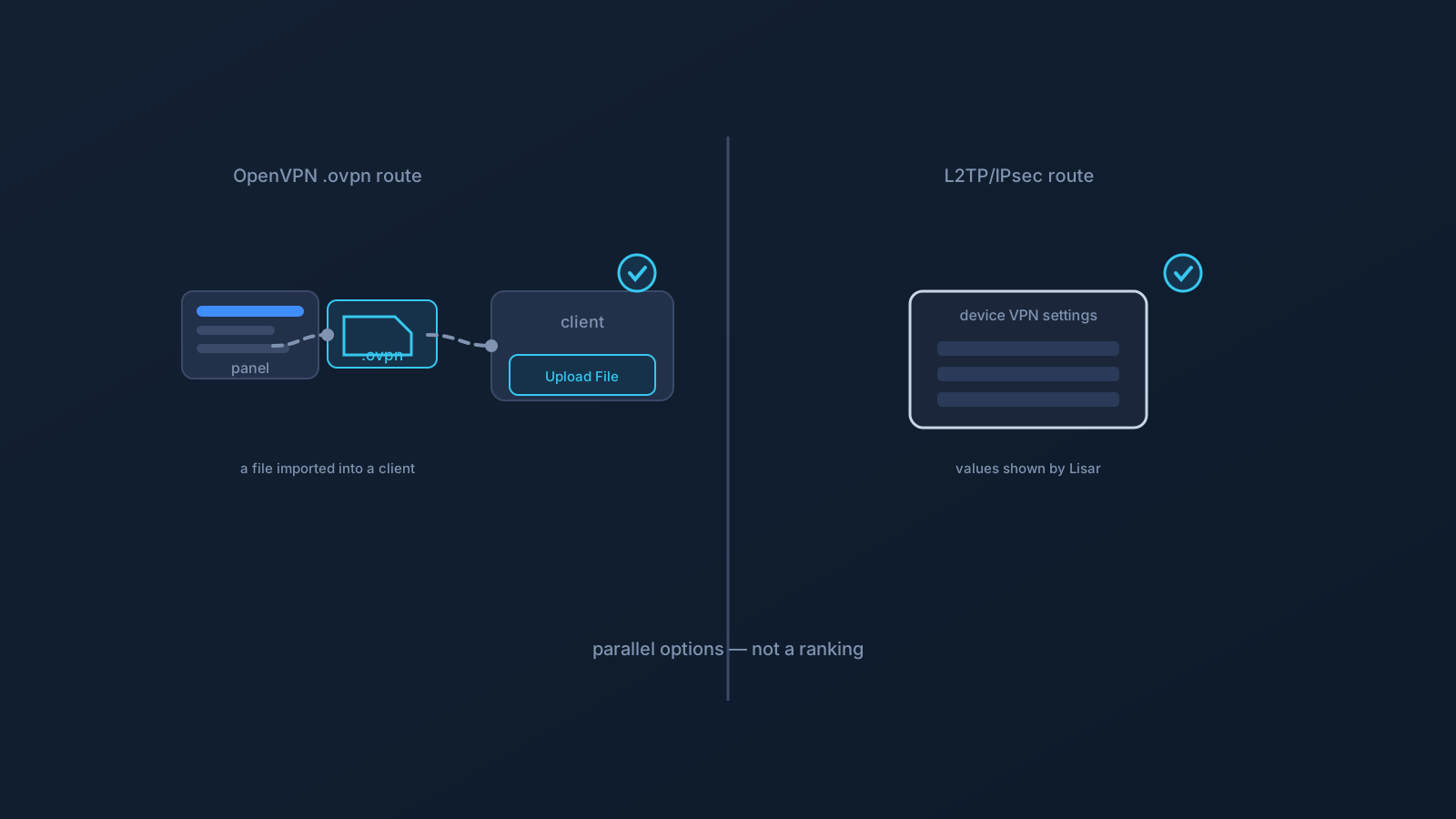
Depending on your device and the setup path intended for you, the VPN setup you receive from Lisar might take one of two forms: an OpenVPN-style .ovpn profile, or an L2TP/IPsec setup. If you've wondered why setup instructions sometimes look different, this is why — and this article explains what each involves at a high level, so you know what you're looking at.
One thing up front about how this article is written: it describes the two as parallel options, not as a ranking. Which one is right for a given situation depends on what's supported and intended for your device and setup path — not on one being universally the better choice.
Why there are two
Different devices and setup paths are suited to different setup types, so Lisar supports more than one. You receive the type that fits your situation — what's supported for your device and intended for your setup path. Sometimes that's the OpenVPN .ovpn route; sometimes it's L2TP/IPsec. Neither is a fallback or a downgrade from the other; they're different routes to the same destination of a working connection.
The practical upshot: if the setup you received looks different from what a friend or a generic guide describes, it may simply be a different supported type — not a mistake. Follow the instructions for the type you actually received.
The OpenVPN .ovpn route, at a high level
The OpenVPN route uses a profile file. You download a .ovpn file from your own profile in the Lisar Panel and set it up in a supported client — on this path, OpenVPN Connect — through the supported flow: download the .ovpn file, open OpenVPN Connect, choose Upload File, import and save the profile, and connect. The profile file carries the connection settings, and the client reads them.
At a high level, that's the shape of it: a file you get from your account, imported into a client that runs the connection. The earlier articles on .ovpn files and OpenVPN setup cover this route in more depth if it's the one you received.
The L2TP/IPsec route, at a high level
The L2TP/IPsec route works a little differently: rather than importing a single profile file, setup is typically done in your device's own VPN settings, entering the setup details for the connection. Where this route applies, those details — such as the server and the values that go with the connection — come only from the values shown by Lisar for your profile: your Lisar Panel or the official setup instructions for that profile, never guessed or reused from elsewhere.
At a high level, that's its shape: a setup done in the device's VPN settings using the values Lisar provides. It's a normal, supported way to set up a connection on the devices and paths where it's intended.
Same goal, different shape — not a ranking
Here's the part this article is careful about: the two types are different in shape, and this is not a comparison of which is faster, safer, or better. Setup types have different characteristics and suit different situations, and ranking them by performance or security isn't the useful frame — nor is it one this article makes. What matters for you is simply which type is supported and intended for your device and setup path, and following that type's instructions correctly.
So if you receive one rather than the other, that's not a verdict about quality. It's about fit: the type you received is the one meant for your situation. The right question is never "which is the best type?" but "which type did I receive, and how do I set it up correctly?"
Handle either type as setup material
Whichever type you receive, the standing habits apply the same way. Setup material — a .ovpn file, or the setup values for an L2TP/IPsec connection — is sensitive: it comes from your own account in the Lisar Panel or the official instructions, it stays on your own devices, and it isn't shared or forwarded to other people. If someone else needs a VPN, they get their own setup from their own account, in whatever type is intended for them.
And whichever type you have, the Lisar Panel and the official setup guides remain the source of truth. What type applies to you, and the correct values or file for it, come from there — not from a generic guide, a friend's screenshot, or an old copy.
What to take away
- Lisar supports more than one setup type; you receive the one supported and intended for your device and setup path.
- The OpenVPN route uses a
.ovpnprofile file imported into a supported client through the standard flow. - The L2TP/IPsec route is typically set up in your device's VPN settings using the values Lisar provides.
- The two are parallel options, not a ranking — receiving one rather than the other is about fit, not about which is faster, safer, or better.
- Either way, treat setup material as sensitive, take values only from the Lisar Panel or official instructions, and follow the guide for the type you received.
Frequently asked questions
Why did I get an L2TP/IPsec setup instead of an .ovpn file (or vice versa)? Because different devices and setup paths suit different setup types, and you receive the one supported and intended for your situation. Neither is a fallback or downgrade — they're parallel routes to a working connection. Follow the instructions for the type you actually received.
Which is better, OpenVPN or L2TP/IPsec? This isn't a ranking question. The two types have different shapes and suit different situations; which is right for you depends on what's supported and intended for your device and setup path, not on one being universally faster, safer, or better.
How is L2TP/IPsec setup different from the .ovpn route? The .ovpn route imports a profile file into a supported client. L2TP/IPsec is typically set up in your device's own VPN settings using the values Lisar provides. Both are normal supported ways to connect where they're intended.
Where do the L2TP/IPsec setup values come from? Only from the values shown by Lisar for your profile — your Lisar Panel or the official setup instructions for that profile. They're never guessed or reused from elsewhere, and the Panel remains the source of truth.
Can I choose which type I use? You receive the type supported and intended for your device and setup path. If you're unsure which applies to you, the Lisar Panel and official setup guides are where that's shown — rather than assuming or switching to a type that isn't intended for your setup.