
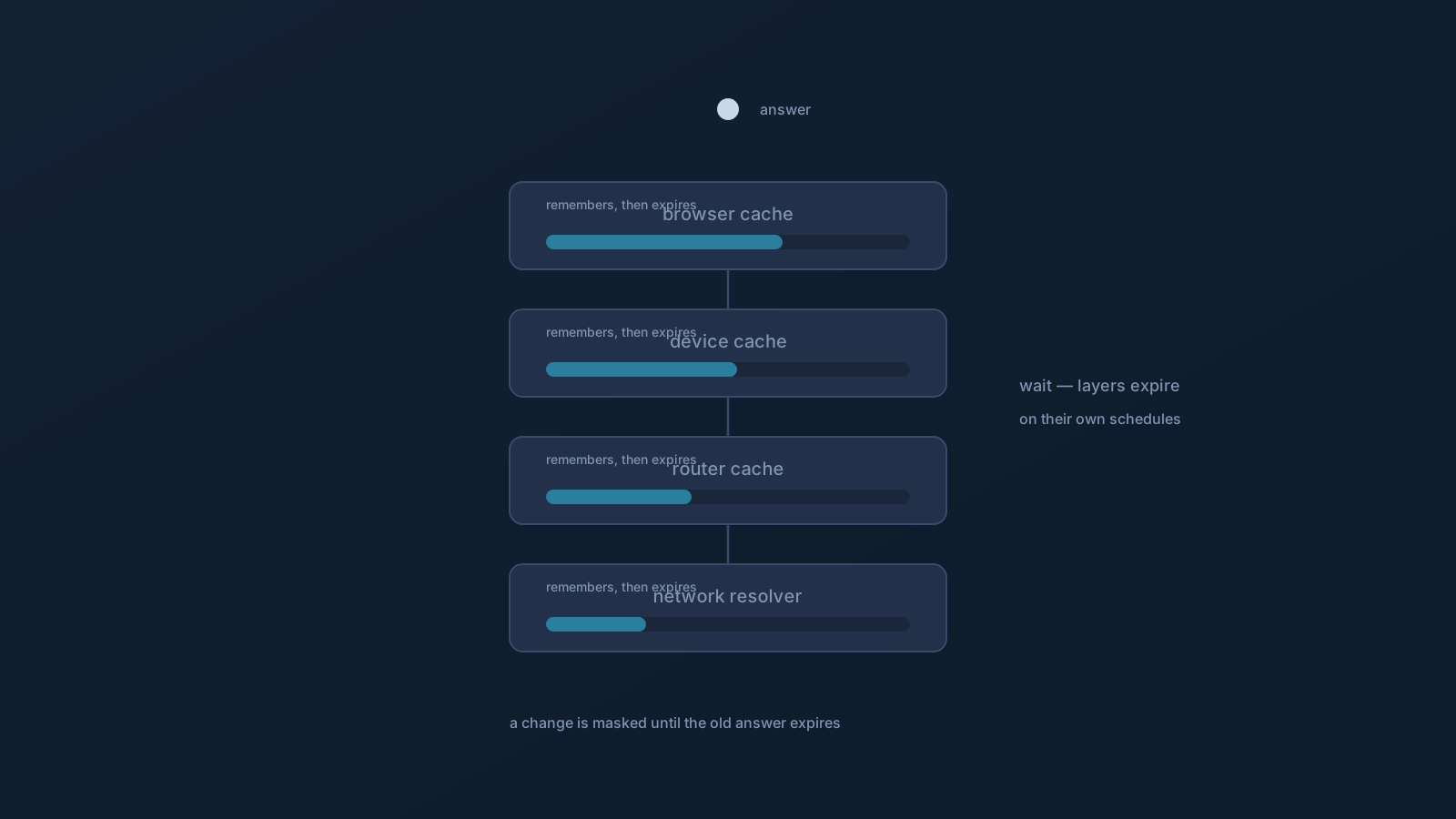
You changed something related to DNS — a filtering setting, a profile, some DNS behavior — and nothing seems different yet. Before assuming it failed, here's the usual explanation: DNS answers are cached at several layers on purpose, and a recent change taking a while to appear everywhere is normal, not broken. Caching is a feature that keeps the internet fast; the small cost is that changes propagate with a delay.
This article explains caching in plain terms, why the delay happens, and what to do about it — which, reassuringly, is mostly "wait a little," never anything drastic.
What DNS caching is, in plain terms
Every time a device looks up a domain, the answer takes a small amount of work to fetch. Rather than repeat that work constantly, systems remember recent answers for a while and reuse them — that's caching. It's why the second visit to a site often feels quicker than the first: the answer was remembered rather than looked up again.
The trade-off is directness. A remembered answer is, by definition, a slightly old one. So when the "correct" answer changes, anything still holding the old remembered answer keeps using it until that memory expires. That expiry is deliberate and time-based, which is exactly why changes don't always take effect the instant you make them.
Answers are remembered at several layers
The reason a change can linger is that more than one layer remembers answers, each on its own schedule. Your browser may hold recent lookups. Your device keeps its own cache. Your router or local network can cache answers for everything behind it. And network resolvers further along the path hold answers too. A change has to outlast whichever layers are still remembering the old answer before it's visible everywhere.
This is also why the same change can appear on one device or browser before another, or on a fresh connection before an existing one — different layers, different remaining memory. Nothing is malfunctioning; the layers are simply expiring their memories at different times.
Why this looks like "my change didn't work"
Put the two facts together and the common experience explains itself: you make a change, but a cached answer somewhere is still being used, so you see the old behavior for a while. It feels like the change failed, when really it just hasn't propagated past every cache yet.
This applies to DNS-related changes generally — including DNS behavior and, where a plan includes DNS AdBlock, filtering behavior that acts on lookups. GeoDNS, DNS AdBlock and Custom Exit are available according to plan. If a filtering change seems absent right after you make it, a still-warm cache is a leading, entirely normal explanation.
What to do — gently
The right responses are all patient ones. Give it time: caches expire on their own schedules, and simply waiting is often all that's needed. A device restart is the least surgical way to clear a device's own memory of recent answers, and closing and reopening a browser can refresh its view — but neither is a reset of anything important, and nothing needs to be uninstalled or torn down to let a cache expire.
What this article deliberately doesn't do is hand out aggressive cache-clearing or reset procedures. The honest reality is that caches are designed to expire, and patience plus, at most, an ordinary restart covers the vast majority of "it hasn't taken effect yet" situations. On a network or device you don't control — a managed work device, someone else's network — its own caching and policies apply, and those are the owner's to manage, not yours to override.
Testing whether a change has landed
If you want to check whether a change has propagated rather than just wait, do it gently. Try on a device that wasn't involved before, or after giving it some time, and prefer a fresh context — a newly opened page rather than one you've had sitting open. Because layers expire independently, seeing the new behavior somewhere is a good sign it's propagating; not seeing it yet elsewhere isn't cause for alarm.
And separate two questions that feel the same: "has my change propagated past the caches?" (usually just time) versus "was the change applied at all?" — the latter, for plan features like DNS AdBlock, is a Panel question, confirmed by looking rather than inferred.
The calm version
- DNS answers are cached at several layers on purpose, to keep things fast.
- A recent change can be masked by a still-remembered old answer until it expires.
- Different layers (browser, device, router, network resolver) expire on their own schedules, so changes appear unevenly at first.
- The fix is patience, and at most an ordinary restart — not aggressive resets or teardowns.
- Whether a plan feature is actually enabled is a Panel question, separate from cache timing.
Caching delay is one of the most common "is this broken?" moments in all of networking, and one of the least alarming. Give it a little time, check gently, and let the caches do what they're designed to do.
Frequently asked questions
I changed a DNS or filtering setting and nothing happened — did it fail? Probably not — it's likely cached. DNS answers are remembered at several layers on purpose, and a recent change stays masked by an old remembered answer until that memory expires. The delay is normal; give it some time before assuming failure.
Why does a change appear on one device but not another? Because each layer — browser, device, router, network resolver — caches answers on its own schedule. A change has to outlast whichever caches still hold the old answer, so it shows up unevenly at first. That's expected, not a malfunction.
How do I make a DNS change take effect faster? Gently: waiting is often enough, and an ordinary device restart is the least surgical way to clear a device's own recent-answer memory. This article doesn't recommend aggressive cache-clearing or resets — caches are designed to expire on their own.
Does this affect DNS AdBlock too? Yes — filtering acts on lookups, so a filtering change can be masked by a warm cache right after you make it. Where a plan includes DNS AdBlock, a still-cached answer is a normal reason a change seems absent at first. Whether the feature is enabled at all is a Panel question.
Nothing changes even after waiting — what should I check? Separate cache timing from whether the change was applied. For plan features like DNS AdBlock, confirm it's included on your profile in the Lisar Panel. Test on a device that wasn't involved before, with a freshly opened page, and bring specifics to official support if it still seems off.