
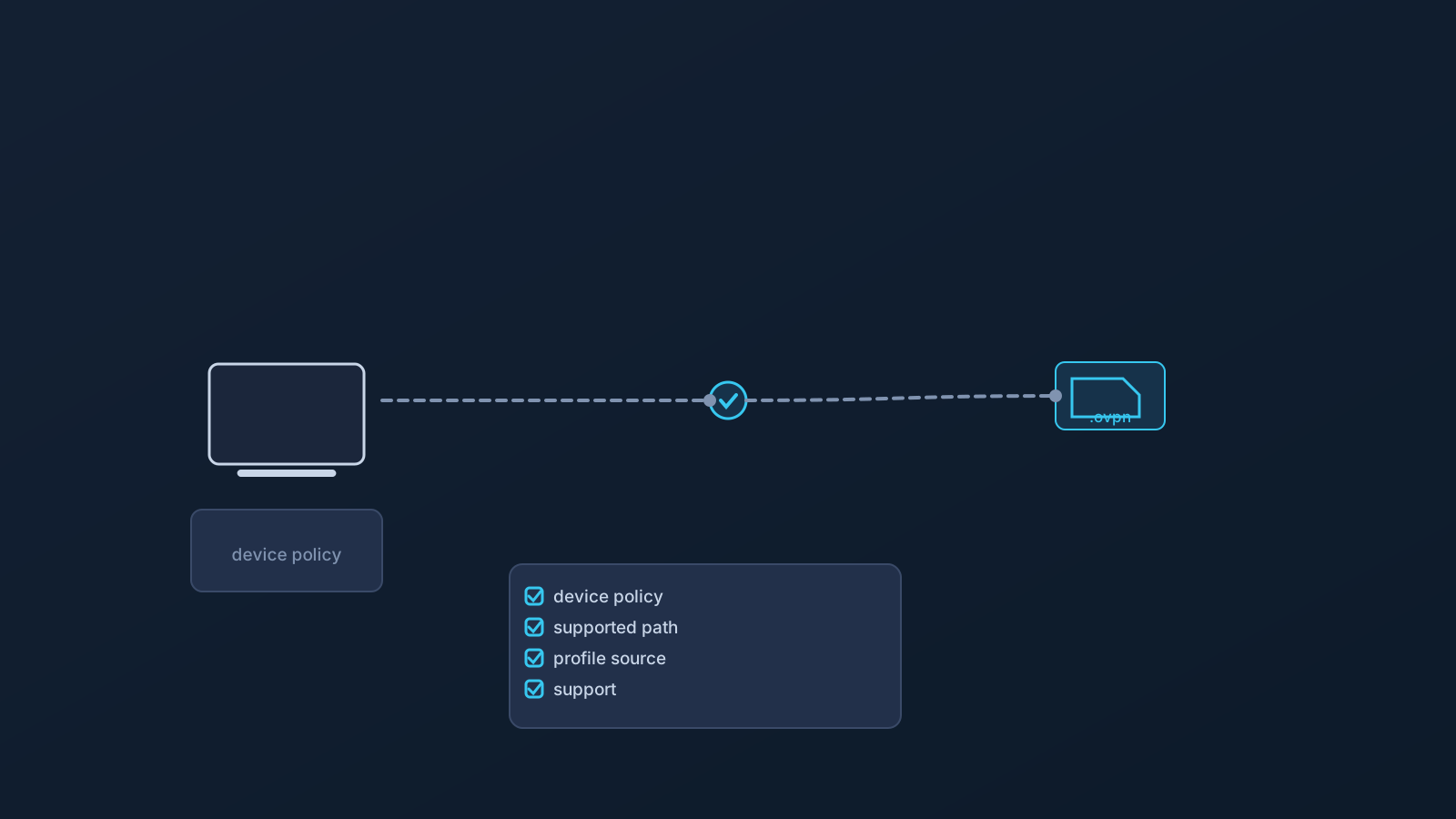
Company-managed devices set the boundary for what VPN setup can do. That sentence should sit at the top of every team's VPN plan, because the most common rollout failure isn't technical — it's a plan written as if every laptop were a personal laptop, discovering mid-deployment that half the fleet answers to a device policy nobody consulted.
A VPN plan that ignores device policy is not a plan. This article covers what managed devices change about VPN setup, what teams should check before rollout, and what no VPN setup can override — on managed hardware or anywhere else.
A managed device is not a personal device
A personal device answers to its owner. A managed device answers to a policy: the employer's, or a client's, enforced through device management that decides which apps install, which profiles load, and which settings change. The person using the laptop daily may have less authority over it than they assume — and that's by design, not malfunction.
For VPN planning, this is the first sorting question: which devices in the team are managed, by whom, and under what policy? Everything else about setup on those devices flows downstream of that answer.
Why device policy changes VPN setup
On a personal device, VPN setup is a choice. On a managed device, it's an intersection: what the user wants to set up, crossed with what the policy allows. The policy side wins every intersection, which means setup planning on managed devices starts with the policy, not with the setup.
That's not an obstacle to resent — device policies exist for reasons specific to each organization, usually security and compliance reasons the device user doesn't see. It's simply the planning order: policy first, setup second.
App installs, VPN profiles, certificates, and network settings
Device management can restrict the exact surfaces VPN setup touches: whether new apps install at all, whether VPN profiles can be added, whether certificates can be imported, and whether network settings can change. Any one of those restrictions can determine which setup paths are available on that device — or whether any are.
Teams shouldn't guess at these restrictions or test them by trial and error. What a specific policy allows is a question for whoever owns that policy, answered before rollout rather than discovered during it.
Why VPN setup cannot override employer or client policy
Stated without hedging: VPN setup does not override device policy, does not bypass device management, and is not a route around employer or client rules. A setup path that a policy blocks is blocked, and the answer is a conversation with the policy owner — not a workaround.
This matters doubly for client-managed hardware, where the policy belongs to someone the team doesn't even employ. Contractors and agencies working on client devices follow client policy, full stop, and any VPN planning for those devices runs through the client's IT function.
What teams should check before rollout
The pre-rollout checks are short and save the most time:
- Which devices are managed — by the company, or by a client — and which are personal?
- Who owns each policy, and have they confirmed what it allows: app installs, VPN profiles, certificates, network settings?
- Which supported setup paths remain available within those constraints, per device type?
- Where does each user's profile-specific setup information come from (their own Lisar panel profile), and who answers setup questions?
- What's the plan for the devices where policy allows no setup at all — because that's a legitimate answer a policy can give?
How .ovpn profile file download fits where supported
Where a managed device's policy permits a compatible OpenVPN client, Lisar's .ovpn profile file download can simplify individual setup: each person's profile-specific connection information comes from their own Lisar panel profile, without a mandatory proprietary Lisar app in the picture.
"Where supported" is doing real work in that sentence. The downloaded profile file doesn't change what a policy allows; it's one supported setup path that either fits within a given policy or doesn't. The habits stay constant either way: no downloaded .ovpn profile files, credentials, or profile details in shared documents or chat threads.
Remote workers, contractors, and travel scenarios
Managed devices travel, and their policies travel with them. A managed laptop at an airport, a coworking space, or a contractor's home office carries the same restrictions it had at headquarters — and travel is exactly when improvised setup changes are most tempting and least wise.
The travel-adjacent rule for managed devices: whatever setup exists gets checked before departure, within policy, and nothing about being on the road relaxes what the policy says. The "Public Wi-Fi for Work Travel" and "VPN for Contractors Abroad" articles cover the surrounding scenarios.
Router setup does not remove device policy
A tempting misconception: if setup on the device is restricted, handle the VPN at the router instead. Router or network-device setup — which applies only to compatible routers and network devices — changes where a VPN connection is handled, not what a device's policy enforces.
A managed laptop behind a VPN-configured router is still a managed laptop. Its restrictions on apps, profiles, certificates, and settings still apply, and router setup is not a way around employer or client rules. The router-vs-device decision is real planning territory, but it's orthogonal to policy, never a substitute for it.
What a VPN cannot replace on managed devices
On managed devices especially, the boundary deserves stating in full: a VPN doesn't replace endpoint security, identity management, SSO, MDM, firewall policy, compliance processes, or the device policy itself — and it doesn't guarantee access to company systems, work tools, or any service. Managed devices usually exist because an organization runs those other controls; a VPN slots alongside them as one part of connectivity planning, not above them.
This article isn't IT-policy, security-architecture, or compliance advice. What a specific organization's policy allows and requires is that organization's call, made through its own IT and security functions.
Frequently asked questions
Can I set up a VPN on my company laptop? That depends on the device's policy, not on the VPN. Managed devices can restrict app installs, VPN profiles, certificates, and network settings — check with whoever owns the policy before attempting setup.
Does VPN setup work around MDM or device management restrictions? No. VPN setup does not override device policy or bypass device management, and a blocked setup path stays blocked. The answer to a restriction is a conversation with the policy owner.
What if the policy doesn't allow any VPN setup on a device? Then that's the answer for that device, and the plan accounts for it. A policy is allowed to say no; planning around that honestly beats improvising against it.
We're contractors on client-provided laptops. Whose rules apply? The client's. Client-managed hardware follows client policy, and any VPN planning for those devices runs through the client's IT function.
Can we use router setup instead, so device restrictions don't matter? No. Router setup — compatible routers and network devices only — changes where the connection is handled, not what a device's policy enforces. Managed devices keep their restrictions behind any router.
Does the downloaded .ovpn profile file work on managed devices?
Where the policy permits a compatible OpenVPN client, yes — each person using their own Lisar panel profile. The downloaded profile file is a supported setup path within policy, never a way around it.
Does a VPN on a managed device replace our endpoint security or MDM? No. A VPN doesn't replace endpoint security, IAM, SSO, MDM, firewall policy, or compliance processes — managed devices usually exist because those controls are in place.