
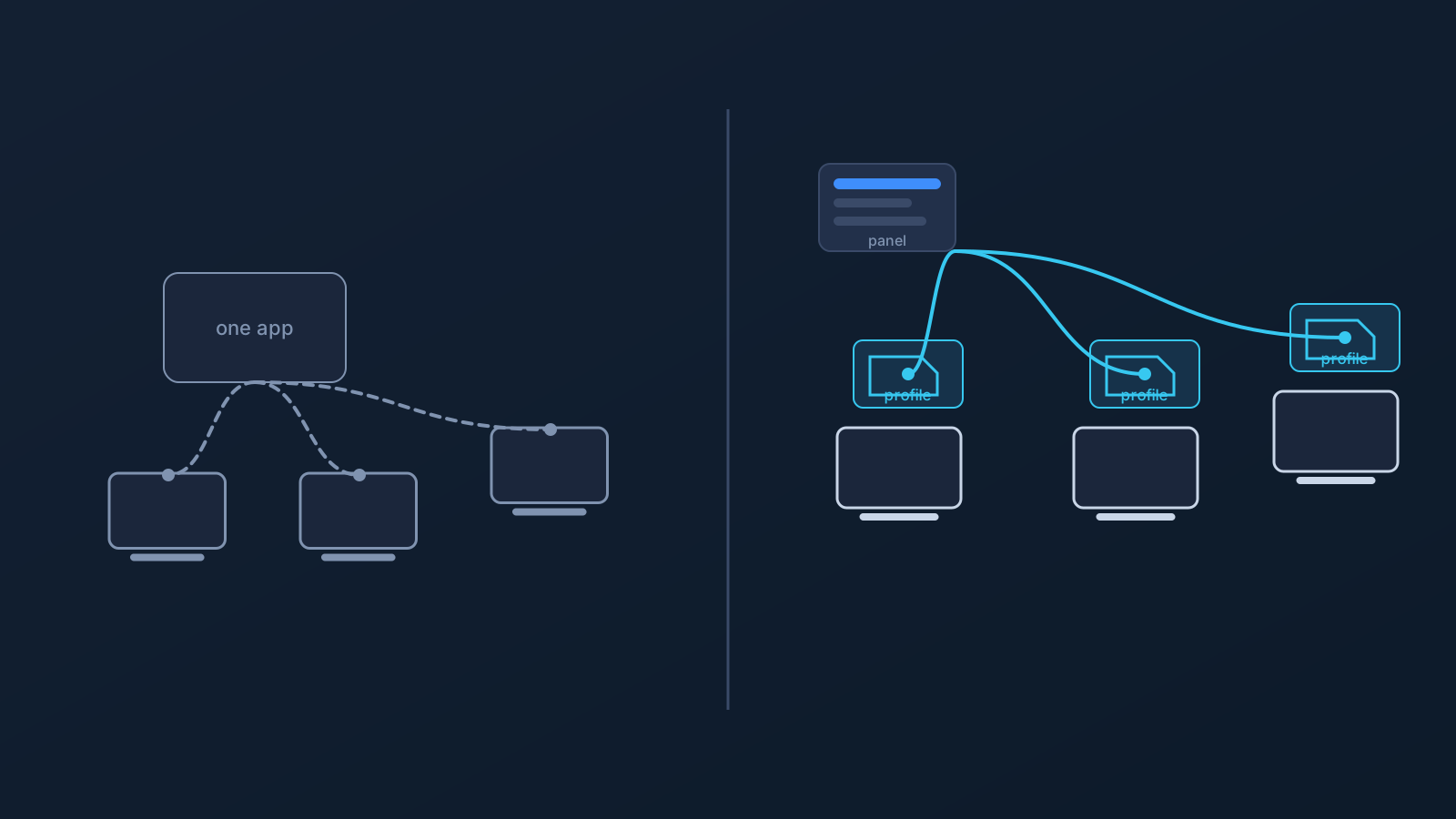
Most VPN services follow the same pattern: before you can connect to anything, you first install the provider's own app on your laptop, your phone, or another supported device — one more piece of vendor-specific software, with its own permissions, its own background processes, and its own update schedule. Routers and other network devices are usually a separate setup scenario, configured directly rather than through an installed app, but they raise a similar question about relying on one vendor's setup path.
For a lot of people, none of this is an issue. For others it raises real questions: how much do I trust this particular app, will it even work on this device, and what happens if I want to switch providers later or connect from a work laptop that doesn't allow random installs?
This article looks at what that phrase actually means, why some users prefer this approach, and just as importantly, what it doesn't promise.
Why some users avoid proprietary VPN apps
Not everyone wants to add another vendor-specific networking app to their devices, and that's a reasonable position on its own. It isn't a verdict that every VPN app out there is poorly built or untrustworthy.
Part of the reason comes down to what this kind of software actually is. Unlike most apps, it's built specifically to change how a device's network traffic is routed — that's the entire point of a VPN. It's also exactly why some people think a little harder before installing one, especially from a provider they haven't used before. Wanting to keep the number of apps like that on a device small is a fair, common preference, not something that needs justifying.
Trust, permissions, and device control
Installing any app usually means granting a set of permissions, and because of what a VPN app is built to do, those permissions often include network configuration access and the ability to run continuously in the background. That's a functional requirement of the category, not a sign that something is wrong.
Like most connected software, a background app may also handle some operational or diagnostic data as part of normal operation. That's common across many kinds of apps, not something specific to VPN apps in particular. Even so, some people prefer to keep the number of always-on, background-capable apps on a device as small as possible, especially a device they're responsible for managing, such as one used for work. That's a reasonable preference about device control, not a statement that any particular app is doing something wrong.
Device compatibility and platform limits
A vendor-specific app only works where its maker has chosen to support it, and that support is never universal. Windows, macOS, iOS, Android, routers, and company-managed devices each have their own realities. An app that works cleanly on one platform can be limited, unsupported, or unavailable on another.
App store availability adds another layer. Some app stores restrict certain categories by region, and some managed devices block app installs entirely through device policy. None of that reflects poorly on any particular VPN provider. It's simply a structural limit of relying on one piece of installable software as the only way in.
Vendor lock-in and app dependency
When all of a user's devices depend on one provider's app to connect, the whole setup effectively lives inside that app. Troubleshooting a connection issue, switching providers, or adding a new device all happen within whatever that one app allows.
That's what vendor lock-in looks like in practice: not a dramatic event, just friction that adds up over time. Standard setup paths reduce how much of the day-to-day experience depends on a single app's lifecycle, including its updates, its store listing, and its future.
How standard VPN setup changes the model
To be clear, "without a mandatory provider app" doesn't mean "without any software at all." A compatible client of some kind is still needed to actually establish a connection. That part doesn't go away.
What changes is which client, and who chooses it. Instead of one mandatory, vendor-specific app installed on each device, standard setup relies on widely used, compatible clients and setup paths that a given operating system or platform already supports. The result is less about removing software and more about putting the choice of software back in the user's hands.
Where the .ovpn profile file download fits
This is the model Lisar uses. Instead of requiring a mandatory, Lisar-specific app just to open a connection, Lisar profiles work with OpenVPN Connect through a downloadable .ovpn profile file.
At a high level, the profile's connection information lives in the Lisar Panel; the user downloads the .ovpn profile file from the Lisar Panel and imports it in OpenVPN Connect using Upload File. If any required fields or credentials are needed, the user must follow the panel/profile/backend-supported instructions. Because a downloaded .ovpn profile file carries profile-specific connection information, users should treat it carefully and avoid sharing it publicly. For the exact, current step-by-step walkthrough on a specific device, Lisar's setup guides, including the dedicated Windows and Android OpenVPN guides, are the right place to look. This article is about the concept, not the click-by-click instructions.
Router and business setup considerations
Desktop and mobile apps, vendor-specific or not, don't solve every situation. Shared networks, small offices, and travel setups often need the connection handled at the router or network-device level instead of on each individual device.
That's a different setup model, and it comes with its own limit: it applies to compatible routers and network devices, not routers in general. For office, team, or custom deployment scenarios, this is usually where a closer look at business or custom setup options becomes relevant.
What this approach does not mean
It's worth being direct about these boundaries, since the idea of skipping a mandatory provider app is easy to over-read:
- It doesn't mean no setup at all. A compatible client and a completed setup step are still needed; what changes is which software does that job.
- It doesn't mean every device is supported. Platform and OS support still vary.
- It doesn't mean every router is compatible. Only supported routers and network devices apply.
- It doesn't guarantee any particular speed.
- It doesn't guarantee anonymity.
- It doesn't guarantee bypassing or unblocking any restriction.
- It doesn't mean every proprietary VPN app is unsafe. Plenty are built carefully; this is a preference about control and dependency, not a safety verdict on other providers.
- It doesn't mean every third-party VPN app is malware.
- It doesn't mean Lisar itself is open-source.
Frequently asked questions
Does "VPN without a proprietary app" mean Lisar has no app or panel at all? No. The Lisar panel is still used to manage the account and get a profile's connection details. What's not required is a separate, mandatory, vendor-specific app just to create the connection itself; that part uses a standard, compatible client instead.
Will this setup work on my router? Only on compatible routers and network devices. Router support isn't universal, and some setups may need a closer, custom look before they're confirmed.
Is L2TP/IPsec always available? It's offered as a fallback option where it's supported, not as the primary method on every platform.
Will this work on a company-managed device? Not necessarily. Managed devices often have their own OS restrictions and IT policies, which can affect whether any setup method, provider-specific or standard, is allowed at all.
Does avoiding a mandatory provider app make a VPN safer or more private? Not automatically. It's about reducing dependency on one vendor's app and giving users more control over their own setup. It isn't a judgment on the safety of other providers' apps, and it doesn't guarantee anonymity.
Are GeoDNS, DNS AdBlock, and Custom Exit included automatically? No. They depend on plan and, in some cases, custom review, so they aren't part of every setup by default.
Does this approach guarantee faster speeds or the ability to unblock restricted content? No. Standard setup doesn't come with a speed guarantee, and it isn't positioned as a way to bypass blocks or restrictions.