
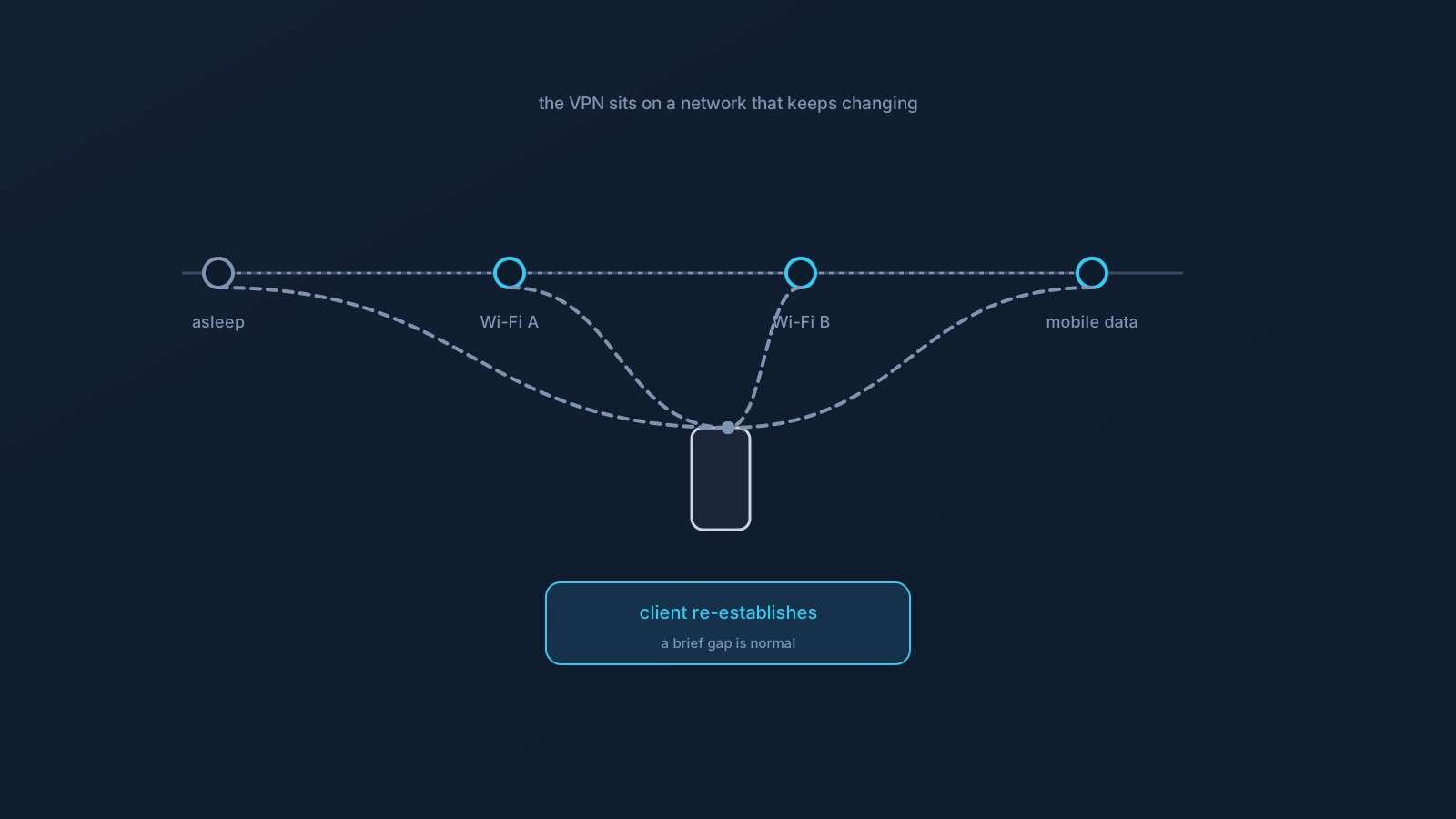
A VPN connection doesn't float in space — it sits on top of whatever network your device is currently using. So when that underlying network changes, which it does constantly on real devices, the VPN connection has to catch up. Your laptop sleeps and wakes, your phone moves between Wi-Fi networks, you walk out of range and switch to mobile data — each of these interrupts the ground the connection was standing on, and the client re-establishes itself in response.
This article explains what that reconnection normally looks like, so a brief gap after a network change reads as expected behavior rather than a problem.
The VPN sits on top of a changing network
The core idea in one line: the network underneath is the foundation, and the VPN connection is built on it. When the foundation shifts — a new Wi-Fi network, a switch to mobile data, a device waking from sleep — the connection built on the old foundation can't simply continue unchanged; it has to re-establish on the new one.
That's why a short interruption around a network change is normal. It isn't the VPN failing; it's the VPN doing the sensible thing — noticing the ground moved and rebuilding on the new ground. Understanding this turns "it dropped for a second" from alarming into expected.
After sleep
When a device sleeps, network activity generally pauses, and the VPN connection pauses with it. On waking, the device re-establishes network connectivity, and the VPN client works to reconnect on top of that restored network.
What you may see for a moment: the client showing it's reconnecting, or a brief period after wake before it's fully up again. Giving it a few seconds to settle after the device wakes is usually all that's needed — the reconnection is the client catching up to a device that just came back online, not a fault.
When switching Wi-Fi networks
Moving from one Wi-Fi network to another changes the underlying connection entirely, so the VPN has to reconnect on the new network. This is common as you move between places — home to office, one access point to another — and a brief reconnection around the switch is the expected behavior.
The same realism this series always applies still holds: the new network is its own network, with its own characteristics, and not every network will support the same setup the same way. If a particular network needs a captive-portal sign-in, that step comes first before the connection can settle.
Moving between Wi-Fi and mobile data
Handing off between Wi-Fi and mobile data is one of the more dynamic transitions a phone makes, and it's a frequent one — walking out of Wi-Fi range, or a network becoming unavailable, hands connectivity to mobile data (or back). Each handoff changes the underlying network, so the client re-establishes accordingly.
Mobile devices live in this transition constantly, which is a big part of why a connection can feel more eventful on a phone than on an always-on desktop. A short reconnection around each handoff is normal; a phone that never changed networks would be the unusual one.
What helps reconnection along
The interventions are all gentle and patient. First, give it a moment — reconnection often completes on its own within a few seconds of the network settling, and waiting is frequently the whole answer. If a connection doesn't come back after the network is clearly stable, toggling the VPN connection off and on in the client is the ordinary next step, and reconnecting from your current profile is straightforward.
If reconnection is consistently troublesome on a specific network, that points more at that network than at your setup — testing on a network you know works helps localize it, and completing any captive portal is part of it. Nothing here calls for teardowns or drastic changes; reconnection is a normal, recoverable event, and the client is built to handle it.
Setting expectations
The healthy mental model: a VPN connection is continuously dependent on an underlying network that changes often, so momentary reconnections around sleep, roaming, and handoffs are a normal part of using one on a real device. They aren't a defect, and they don't mean anything is misconfigured.
Two honest notes to close. Behavior can vary by device and operating system — mobile platforms in particular have their own background-activity and connectivity rules — so the same profile can feel a little different across devices, which is expected. And what any website or service does with your connection is unaffected by reconnection mechanics: services run their own checks regardless, exactly as covered elsewhere. Expect brief, self-resolving reconnections, help them along gently when needed, and let the client do the job it's designed for.
Frequently asked questions
Why does my VPN briefly disconnect when my laptop wakes from sleep? Because network activity pauses during sleep, and the VPN pauses with it. On waking, the device restores network connectivity and the client reconnects on top of it. A few seconds to settle after wake is normal — it's the client catching up, not a fault.
Is it normal for the VPN to reconnect when I change Wi-Fi networks? Yes. Switching networks changes the connection underneath entirely, so the VPN re-establishes on the new one. A brief reconnection around the switch is expected, and if the new network needs a captive-portal sign-in, that step comes first.
Why does my phone's VPN seem more eventful than my computer's? Because phones move between Wi-Fi networks and between Wi-Fi and mobile data constantly, and each handoff changes the underlying network the VPN sits on. Mobile platforms also have their own connectivity rules, so short reconnections are a normal part of mobile use.
The connection didn't come back after a network change — what should I do? Give it a few seconds once the network is clearly stable, since reconnection often completes on its own. If it doesn't, toggling the VPN connection off and on in the client and reconnecting from your current profile is the ordinary next step.
Do these reconnections affect how websites treat me? No — what any service does with your connection is unaffected by reconnection mechanics. Services run their own account and security checks regardless of how or when you reconnect.