
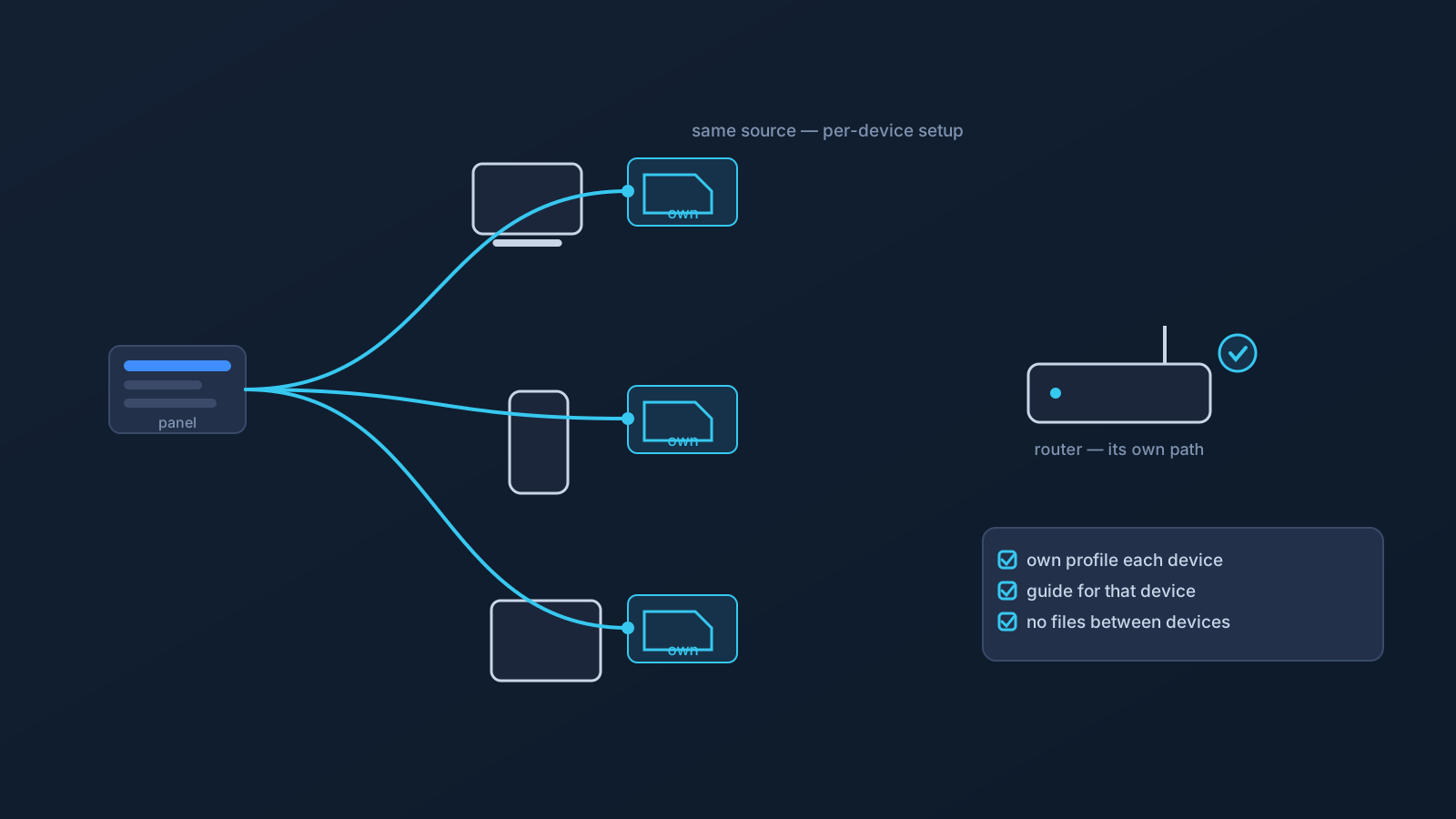
Most people don't use one device. A laptop for work, a phone that's always along, maybe a tablet — and suddenly "setting up the VPN" is three or four small projects instead of one. The good news is that profile-based setup keeps those projects consistent: one source of truth, the same supported flow, repeated per device. The honest news is that consistency has practical limits, because devices and clients genuinely differ.
This article covers both: the routine that keeps multi-device setup coherent, and the differences that no routine removes.
One source, many devices
The anchor of multi-device consistency is where setup information comes from: your own profile in the Lisar Panel, every time, for every device. Each device you set up follows the same supported path — download the .ovpn file, open OpenVPN Connect, choose Upload File, import and save the profile, and connect — and each one gets its file fresh from the Panel rather than inheriting it from another machine.
That last part is the habit that keeps things clean. A downloaded .ovpn profile file is sensitive setup material, so it shouldn't be forwarded between devices through email, chat, or shared folders "to save a download." Setting up device number three takes two minutes done properly from the Panel — and zero cleanup later.
Devices and clients genuinely differ
Consistency of source doesn't mean uniformity of experience, and expecting it sets you up for confusion. Operating systems present VPN settings differently. Clients handle imports through their own screens and prompts. A step that's one tap on a phone may be a dialog on a laptop. Where a client or setup guide asks for any required fields, the values come from the Lisar Panel or the official setup instructions for that profile — never from memory or another device's screenshots.
The practical posture: follow the setup guide for the actual device in front of you, not the memory of a different one. Same source, same flow, per-device details as documented — that's the realistic shape of "consistent."
Not every device is the same kind of project
Some devices aren't a personal-setup project at all. Routers and network devices are their own path — supported for compatible hardware specifically, planned and checked rather than assumed, and covered by their own guides. A smart TV or console is typically a candidate for the router conversation rather than a per-device one. And a company-managed laptop answers to its device policy first: what installs, which profiles load, and which settings change are the policy owner's calls, and no VPN setup changes that.
Sorting your devices into these categories before starting — personal per-device, router-path, managed — is five minutes that prevents most multi-device frustration.
Keeping routing expectations consistent
Setup consistency is one half; routing consistency is the other. Because your devices all set up from the same profile source, they inherit the same plan-level behavior: where a plan includes routing features, those apply as plan properties rather than per-device tweaks. GeoDNS, DNS AdBlock and Custom Exit are available according to plan.
That's worth internalizing, because it relocates a common worry. "Will my phone route differently than my laptop?" is mostly a question about networks and moments, not about your setup — the plan side is consistent by construction when every device is on your own profile, set up the supported way.
When one device misbehaves
Multi-device setups produce a useful diagnostic for free: comparison. If one device behaves oddly while the others are fine, the difference usually lives on that device — its network at the moment, its client state, its OS settings — rather than in the profile all of them share. Re-checking that device against its own setup guide, confirming it's using the current file downloaded from your own Panel profile, and testing it on a network where another device works are the gentle first moves.
If the odd one out is every device at once, the shared elements — the network you're all on, or something profile-side worth confirming in the Panel — become the better suspects. Either way, the Panel and the setup guides stay the source of truth, and official support is the path when observation runs out.
The multi-device checklist
- Every device set up from your own profile in the Lisar Panel, via the supported flow — no files forwarded between machines.
- The setup guide for the actual device followed each time; required fields only from the Panel or official instructions.
- Devices sorted honestly: personal per-device, router-path (compatible hardware, planned), or managed (policy owner asked first).
- Old devices retired properly: leftover downloaded profile files removed when a device leaves your rotation.
- One-device oddities compared against the others before anything is changed.
Frequently asked questions
Can I use my Lisar profile on more than one of my own devices? Yes — set up each device from your own profile in the Lisar Panel using the supported flow: download the .ovpn file, open OpenVPN Connect, choose Upload File, import and save the profile, and connect. Each device gets its file fresh from the Panel.
Can I just send the profile file from my laptop to my phone? Better not to. A downloaded .ovpn profile file is sensitive setup material and shouldn't travel through email, chat, or shared folders — even between your own devices. Downloading fresh from the Panel on each device is quick and leaves nothing to clean up.
Why does setup look different on my phone than on my laptop? Operating systems and clients present the same flow through their own screens and prompts, so per-device differences are normal. Follow the setup guide for the device in front of you, and take any required values from the Lisar Panel or official instructions.
Will all my devices route the same way? Plan-level behavior is consistent by construction when every device uses your own profile — routing features apply according to plan, not per device. Moment-to-moment differences usually come from networks, not from your setup.
What about my TV, console, or work laptop? TVs and consoles are usually a router-path question — supported for compatible hardware, planned rather than assumed. A company-managed laptop follows its device policy first; ask the policy owner before attempting setup.