
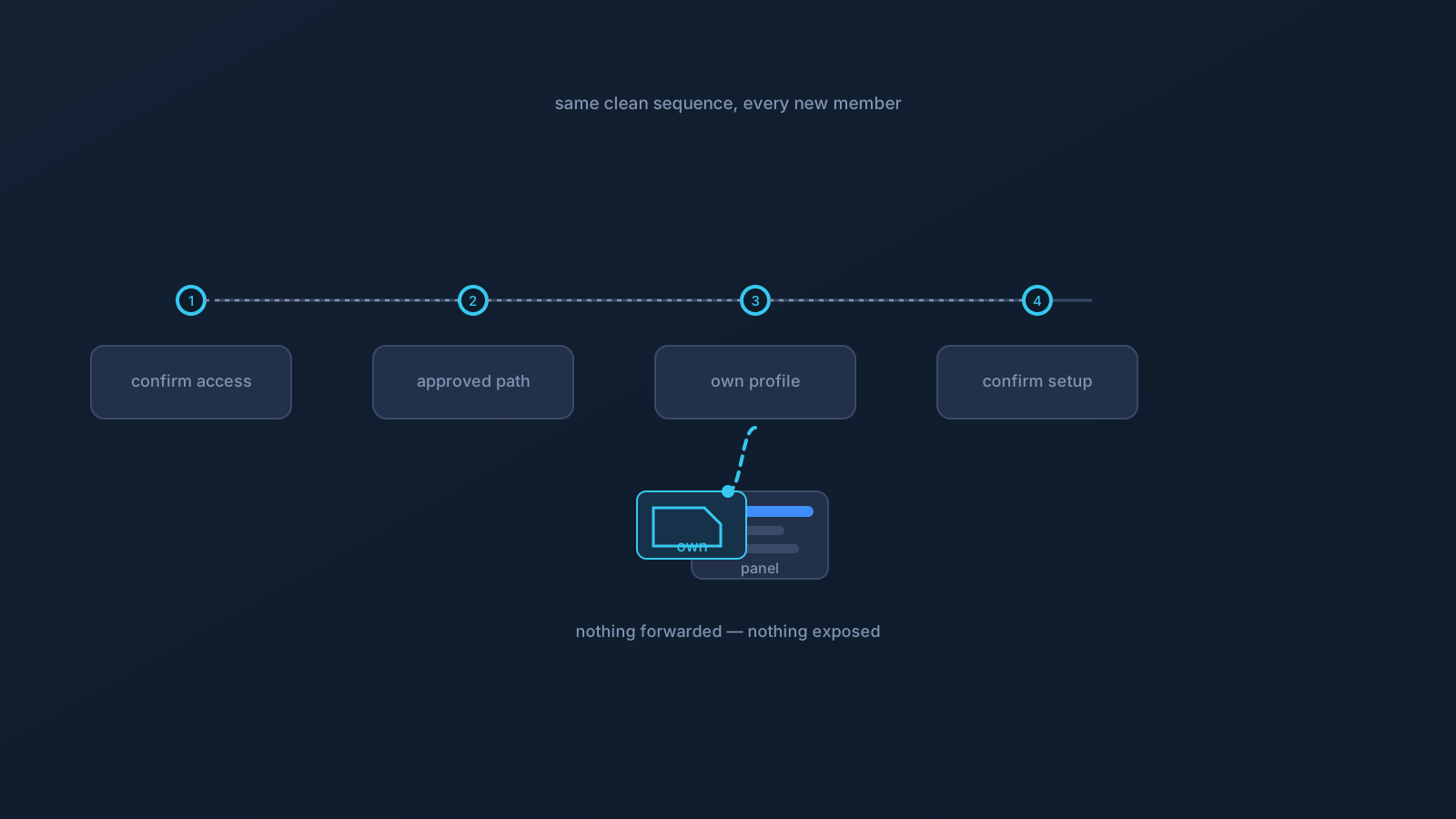
Onboarding a new team member to VPN access goes smoothly when it's a sequence you repeat rather than a scramble you improvise. The scramble — someone pasting "everything you need" into a chat the morning the new person starts — is how setup material ends up traveling and how the next hire gets three contradictory sets of instructions. A simple, fixed sequence avoids all of it.
This article lays out that sequence: five steps, the same every time, each keeping setup material where it belongs while getting the new person connected.
Step 1: Confirm who actually needs access
Before anything technical, confirm the basics: does this person need VPN access for their role, and through what the team has agreed is its process? A quick confirmation prevents setting up access nobody asked for and keeps onboarding tied to an actual decision rather than a casual request. Who grants that confirmation is a team matter — the point is that access starts from a deliberate "yes," not from momentum.
This step is also where the team's own access decisions live. VPN setup organizes connectivity; whether a given person should have access, and to what, remains the team's own call under its own controls — the sequence here is about setup, not about granting anything the team's controls don't.
Step 2: Provide the approved setup path
Hand the new person the approved path, written once and reused: they set up from their own profile in the team's Lisar Panel, the supported way — download the .ovpn file, open OpenVPN Connect, choose Upload File, import and save the profile, and connect — following the setup guide for their actual device. Where any required fields appear, the values come from the Lisar Panel or the official setup instructions for that profile, never from memory or a colleague's screenshot.
Giving people the approved path up front is what stops improvisation. A new hire who receives "here's exactly how we do setup" doesn't go looking for shortcuts, and the team gets consistency for free.
Step 3: Use the correct profile source — their own
The anchor of safe onboarding: the new person's profile comes from their own account in the team's Panel, downloaded fresh. Nothing is forwarded to them — not a profile file from someone else's device, not an emailed copy, not a file from a shared folder. A downloaded .ovpn file is sensitive setup material, and the way it stays safe is that each person gets their own from their own account.
This is worth stating to the new person directly, because it sets the norm from day one: their setup is theirs, it comes from their own account, and profile files aren't things the team passes around. That single habit prevents most of what goes wrong with team setup later.
Step 4: Confirm setup without exposing sensitive values
Once they're set up, confirm it works — without anyone pasting sensitive values to prove it. Confirmation is simple and non-exposing: the new person's client shows connected, they can reach what they need for ordinary work, and setup followed the approved path. None of that requires sharing a profile file, a credential, or a screenshot showing setup details.
If they hit a snag, the fix routes through guidance, not exposure: the setup guide for their device, and the team's support contact. "Send me a screenshot of your setup so I can check" is exactly the habit to avoid — screenshots of setup details are material, and confirmation never needs them.
Step 5: Document who to contact for help
Close the sequence by making sure the new person knows where help lives, in two lanes: the Lisar lane (the setup guides and official Lisar support) for profile and setup questions, and the team lane (whoever owns setup support internally) for team-side questions. Handing them these contacts alongside the approved path turns a future snag into a quick question rather than a guessing session.
A good onboarding leaves the new person with the path, their own profile source, and the contacts — nothing forwarded, nothing exposed, nothing to clean up later.
The onboarding sequence, together
- Confirm the person needs access, through the team's own process — access starts from a deliberate decision.
- Provide the approved setup path: their own Panel profile, the supported flow, the guide for their device.
- Use their own profile source — fresh from their own account, nothing forwarded, profile files kept off shared places.
- Confirm setup without exposing values — connected, reaching what they need, no profile files or screenshots shared.
- Document the two support lanes so they know where to ask.
Run this same sequence for every new member and onboarding stops being a scramble. What it deliberately doesn't do is replace the team's own access and identity decisions — those remain the team's, made through its own functions; this sequence just gets a confirmed person cleanly and safely connected.
Frequently asked questions
What's the safest way to onboard a new team member to VPN access? A fixed five-step sequence: confirm they need access through the team's process, give them the approved setup path, have them set up from their own Panel profile (nothing forwarded), confirm it works without exposing values, and share the support contacts. Repeating the same sequence keeps setup material where it belongs.
Can we send the new person a profile file to save time? No — their profile comes fresh from their own account in the team's Lisar Panel. A downloaded .ovpn file is sensitive setup material; forwarding one creates copies that outlive onboarding. Their own fresh download is quick and leaves nothing to clean up.
How do we confirm their setup works without seeing sensitive details? Confirmation doesn't need exposure: their client shows connected, they can reach what they need for ordinary work, and setup followed the approved path. Avoid asking for screenshots of setup details — those are material, and checking never requires them.
Does onboarding someone to the VPN give them access to our systems? No — a working connection grants nothing the team's own access controls don't grant. Whether a person should have access, and to what, remains the team's decision under its own controls; the sequence organizes setup, not access.
What should the new person walk away with? The approved setup path, their own profile source, and two support lanes — the Lisar guides and official support for profile and setup questions, and the team's internal owner for team-side questions. Nothing forwarded, nothing exposed.