
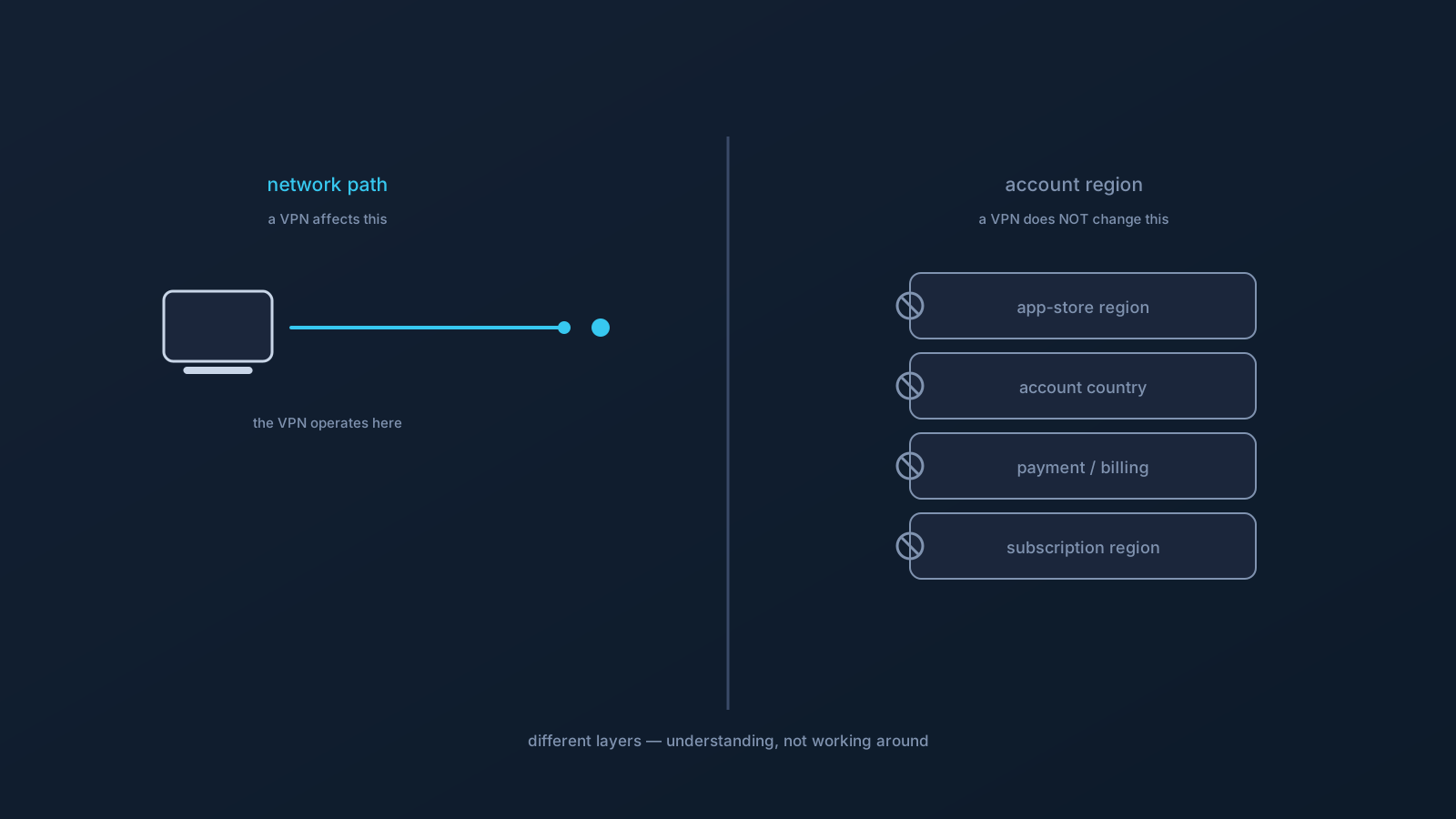
A frequent point of confusion: someone connects a VPN, notices their traffic now takes a different path, and expects their app-store country, payment region, or account settings to follow — then is surprised when they don't. This article explains why that's exactly what should happen: a VPN affects your network path, not your account's region, and those are different things set in different places.
This is written to be useful if you're facing account-region confusion. It explains where these settings actually live — and, importantly, it doesn't suggest trying to work around any account, payment, app-store, or service policy.
Two different layers
The core idea is that two separate layers are in play. There's your network path — the route your traffic takes, which a VPN does affect. And there's your account region — the country and settings tied to your accounts, your app store, your payment and billing details, and your subscriptions. These are set and managed at the account layer, by each service, and they don't automatically follow your network path around.
A VPN operates on the first layer. Your account region lives on the second. Changing the first doesn't change the second — which is why connecting through a VPN leaves your account country, app-store region, and payment profile where they were.
Why account region doesn't follow your connection
Account and regional settings are deliberately tied to more durable things than a moment's network path — the details you set up with a service, your payment methods and their billing country, the region your account was established in, and each service's own account settings. Services determine these from account-level information, not from the network route a given session happens to take.
That's by design. If account country changed every time a network path changed, accounts, payments, and subscriptions would be unstable and unpredictable. So a network-path change through a VPN simply isn't the kind of thing that moves an account's region — the region is anchored at the account layer, on purpose.
The specific things a VPN does not change
To be concrete, connecting a VPN does not automatically change any of these:
Your account country — the country associated with your account, set at the account layer. Your app-store region — determined by app-store account settings, not your network path. Your payment profile and billing region — tied to your payment methods and their billing details. Your subscription region — anchored to the account and payment details behind the subscription. And your service account settings generally — which each service manages through its own account information.
All of these live where accounts and payments are managed, and a VPN's effect on your network path doesn't reach them. Noticing that they stay put while connected isn't a malfunction; it's these settings being anchored where they should be.
Where these settings are actually managed
If you need to understand or update any of these, the place to look is the account itself — the settings of the specific service, app store, or payment provider involved. Account country, app-store region, payment and billing details, and subscription settings are each managed within their respective services' account settings, according to those services' own rules and processes.
This article's role is to clear up the confusion about what a VPN does and doesn't affect — not to guide changing any regional or payment setting, which is a matter for each service's own account settings and policies. If a regional setting looks wrong to you, that service's own account settings and support are where it's addressed, within that service's terms.
Handling account-region confusion calmly
If you're seeing account-region confusion, the calm approach is to separate the layers. Ask whether what you're looking at is a network-path thing (which the VPN affects) or an account-region thing (which it doesn't). Most "why is my region…?" questions are account-layer questions, answered in the relevant service's account settings, not by anything about your VPN connection.
And keep the honest boundary in view: the goal here is understanding, not circumvention. A VPN changes your traffic's path; it doesn't change — and shouldn't be expected to change — the region tied to your accounts, payments, or app store. Each of those remains governed by its service's own settings and policies, exactly as it was.
The takeaway
- A VPN affects your network path; it does not automatically change your account's region.
- App-store region, account country, payment and billing region, subscription region, and service account settings are set at the account layer, not by your network path.
- These settings stay put when you connect a VPN by design — they're anchored to account and payment information, not a session's route.
- To understand or update any of them, the place is the relevant service's own account settings, within that service's rules.
- The frame is understanding, not working around anything — a VPN simply operates on a different layer than your account region.
Frequently asked questions
Does connecting a VPN change my app-store or account country? No — a VPN affects your network path, not your account's region. App-store region, account country, payment and billing region, and subscription settings are set at the account layer by each service, and they don't automatically follow your network route. Them staying put is expected.
Why didn't my payment or billing region change when I connected? Because billing and payment region are tied to your payment methods and their billing details at the account layer, not to the network path a session takes. Services determine these from account-level information, so a VPN's effect on your route doesn't reach them.
Where is my account or app-store region actually set? Within the specific service's or app store's own account settings, according to that service's rules. Account country, app-store region, payment details, and subscription settings are each managed in their respective services — that's where to look to understand or update them.
My account region looks wrong — can a VPN fix it? No — a VPN operates on your network path, not your account settings, so it isn't the tool for a regional setting. If a regional setting looks wrong, that service's own account settings and support are where it's addressed, within that service's terms.
Is it true a VPN doesn't affect my subscription region at all? A VPN affects your network path, while subscription region is anchored to the account and payment details behind the subscription at the account layer. Those are different layers, so a network-path change doesn't automatically move a subscription's region.