
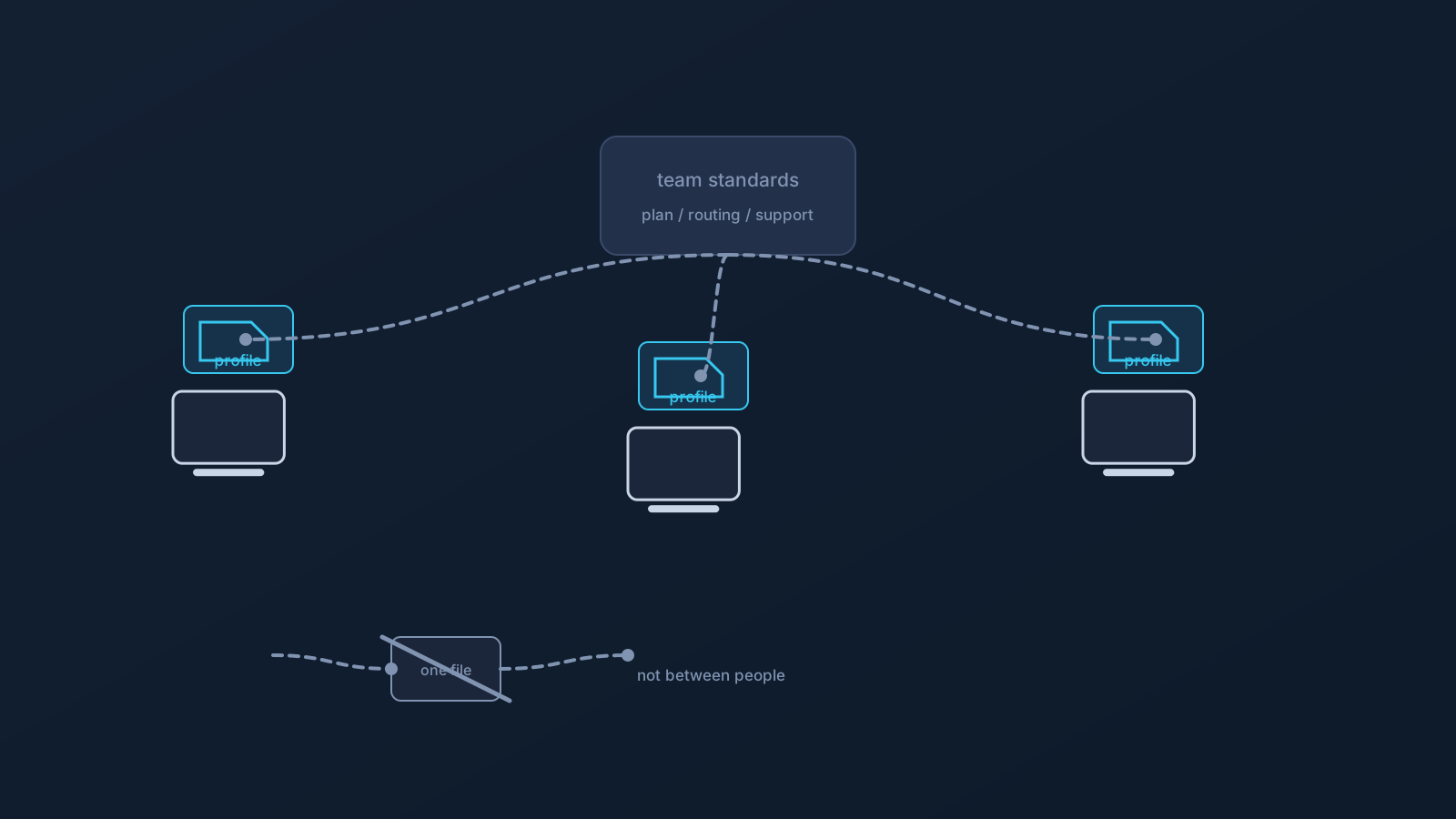
Small teams reach for the phrase "shared VPN profiles" with a reasonable goal in mind: everyone set up the same way, routing that behaves consistently, and one place where profiles are managed instead of five personal arrangements. That goal is right. The literal version of the phrase — one profile file passed around the team — is the part that backfires.
This article separates the two: what sharing should mean for a small team, what it must never mean, and how to get the consistency without the anti-pattern.
What teams actually want when they say "shared"
Unpack the request and it's rarely about the file. Teams want shared standards (every member set up the same supported way, so problems look the same and help is reusable), shared routing expectations (the team's traffic behaving consistently rather than differently per person), and shared management (profiles created and overseen in one place, with someone accountable, instead of scattered across personal accounts).
All three are available — and none of them requires two people to ever touch the same profile file.
The version that works: shared standards, per-person profiles
The working shape is centralized management with per-person setup. The team's profiles live in the team's Lisar Panel, where they can be created and managed in one place — one profile per member. Each member then sets up their own devices from their own profile, the supported way: download the .ovpn file, open OpenVPN Connect, choose Upload File, import and save the profile, and connect. The standard is shared; the profile is theirs.
Routing consistency comes from the plan, not from file-sharing. Where a team's plan is eligible, Custom Exit relates to how the plan's traffic exits — defined once at the plan level, arranged with Lisar, typically after a review. GeoDNS, DNS AdBlock and Custom Exit are available according to plan. That's the mechanism for "we all exit the same way": a plan property every member inherits automatically, with each person still on their own profile. For larger or specific needs, custom plans may include dedicated routing setups and customer-specific review, by request.
The version that backfires: one file, many people
Passing one profile file around a team feels efficient for exactly one afternoon. After that, the costs arrive: nobody can tell whose connection is whose when something needs attention; the file exists in chats, inboxes, and shared folders where it can't be un-shared; every departure raises the question of who still has a copy; and one person's setup problem becomes everyone's, because it's literally the same setup.
A downloaded .ovpn profile file carries profile-specific setup information and should be treated as sensitive setup material. The team rule that prevents all of the above is one sentence: profile files, credentials, and profile details are never shared between people — not in chat, not in shared documents, not device-to-device. Each member's setup comes from their own profile in the Panel, every time.
Onboarding and offboarding on the per-person model
The per-person model pays off most at the edges of the team. Onboarding a new member is a repeatable step: their own profile in the team's Panel, the setup guide for their actual device, and a clear answer to who they ask when setup questions come up. Nothing is forwarded to them; nothing needs scrubbing later.
Offboarding is the mirror image, and it's easier to reason about when setup was kept per-person from the start: there are no shared files to chase down, and account-side questions route through the Panel and official support rather than through old chat threads. Teams that keep the discipline get boring offboarding — which is the good kind.
What none of this replaces
A team VPN setup — however well organized — is connectivity planning, not a security program. It doesn't replace identity and sign-on controls, device management or device policy, the team's device security tooling, network access rules, or the team's own IT and policy decisions. On managed devices, device policy continues to define what setup is possible, exactly as it would for any other software.
Teams that hold that boundary get the real benefits — consistent setup, predictable routing, manageable membership changes — without building expectations no VPN can meet. What a specific team should run alongside its VPN setup is a question for that team's own IT function.
The practical takeaway fits in two sentences. Share the things that scale — standards, plan-level routing, one place to manage profiles, one person accountable — because sharing them makes every future teammate cheaper to onboard and every problem easier to describe. Keep the things that identify — profile files, credentials, profile details — strictly per person, because that's what keeps connections attributable, departures simple, and yesterday's chat history boring.
Frequently asked questions
Can our small team just use one VPN profile for everyone? That's the pattern to avoid. One file shared around means indistinguishable connections, un-un-shareable copies in chats and folders, and awkward departures. The working model is one profile per member, managed centrally in the team's Lisar Panel.
How do we get everyone routing the same way without sharing files? Through the plan, not the file. Where a team's plan is eligible, Custom Exit defines exit behavior once at the plan level — arranged with Lisar, typically after a review — and every member inherits it while staying on their own profile.
What's the right way to onboard a new team member? Their own profile in the team's Panel, the setup guide for their actual device, and setup done the supported way — download the .ovpn file, open OpenVPN Connect, choose Upload File, import and save the profile, and connect. Nothing forwarded, nothing copied from a colleague.
Does centralized profile management replace our other security tools? No. Team VPN setup is connectivity planning; identity and sign-on controls, device management, device security tooling, and access rules remain their own layers, owned by the team's IT decisions.
What happens to profiles when someone leaves the team? If setup was per-person from the start, departures stay simple: there are no shared files to chase, and account-side steps route through the Lisar Panel and official support. Offboarding is easiest when onboarding was disciplined.