
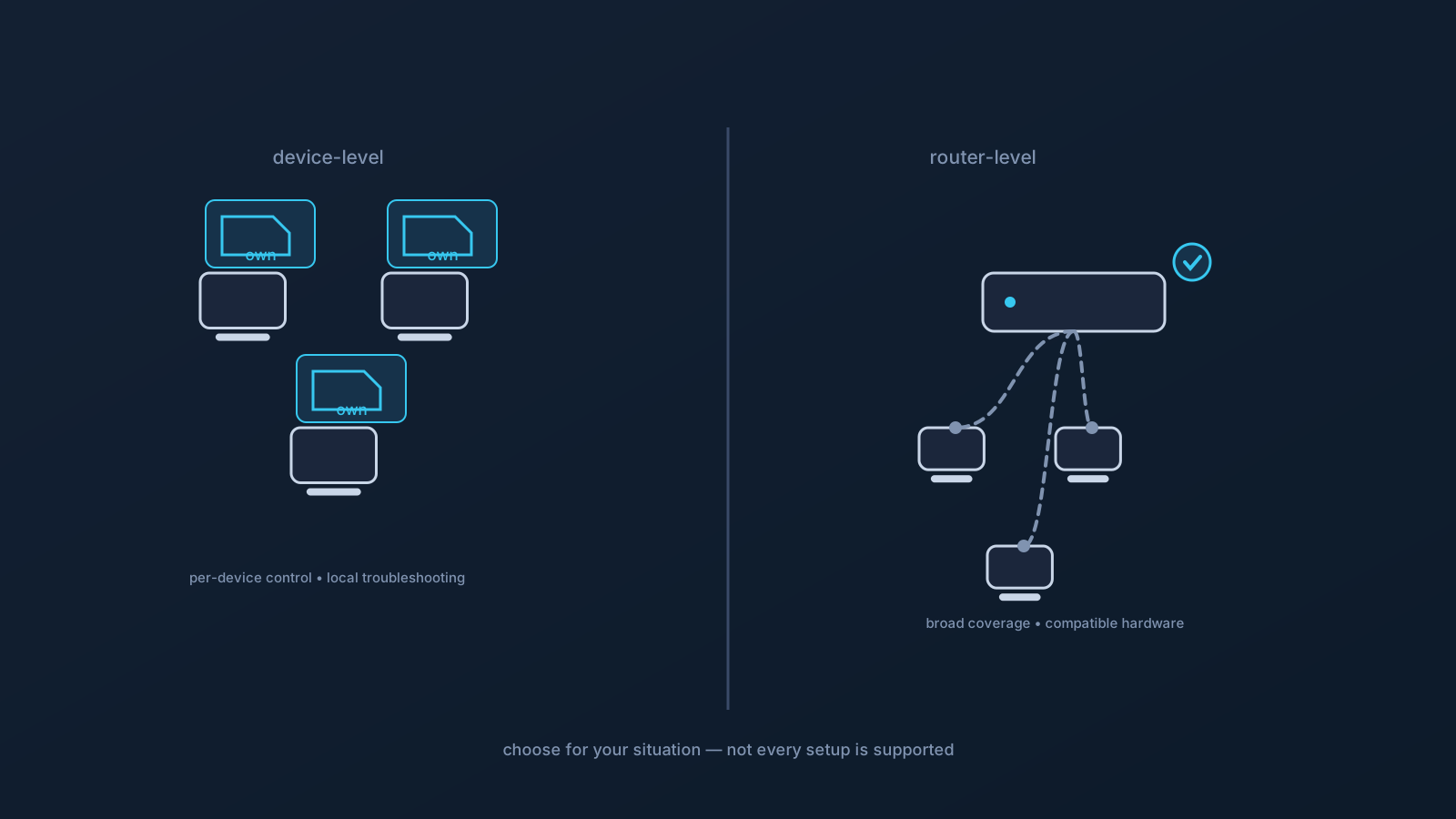
For a household or a home office, VPN setup comes in two broad shapes: at the router, covering devices through one point, or on each device individually. Neither is simply better — they suit different situations, and the right choice depends on practical trade-offs like how much variety your devices have and who's going to troubleshoot when something's off. This is an expectation-focused comparison to help you choose.
One honest note throughout: not every router, device, or network supports every setup, so part of choosing is checking what's actually compatible rather than assuming. This article compares approaches; it doesn't promise any particular hardware will work.
The two approaches in brief
Device-level setup means each device is set up individually, using its own profile through the supported flow — download the .ovpn file, open OpenVPN Connect, choose Upload File, import and save the profile, and connect — with the VPN active on that device specifically. Router-level setup means the VPN is configured at a compatible router, so devices connecting through that router can be covered without each one being set up separately.
The difference in one line: device-level puts the VPN on each device you choose; router-level puts it at the network's front door for compatible hardware. Everything below follows from that.
Control and granularity
Device-level setup gives you per-device control: each device is either set up or not, and you decide which. That's useful when you want some devices on the VPN and others not, or when different devices are used differently. You can also tell exactly which device is doing what, because each is its own setup.
Router-level setup trades granularity for coverage: devices through the router are handled together, which is convenient when you want broad, uniform coverage but less so when you want per-device distinctions. Turning it on or off is a network-level decision rather than a per-device one. Which you prefer depends on whether your household wants uniformity or per-device choice.
Troubleshooting
This is where many households make the call. Device-level setup keeps troubleshooting local: if one device has an issue, it's that device's setup, network moment, or client — and the other devices, being independent, are a built-in comparison. Problems stay contained and are easier to reason about one device at a time.
Router-level setup concentrates both the convenience and the troubleshooting at the router. When it works, everything behind it benefits at once; when something's off at the router, it can affect everything behind it, and diagnosing router-level configuration is a more involved, more technical task than checking a single device. If nobody in the household wants to own router configuration, device-level is often the calmer choice.
Device variety
The more varied your devices, the more this matters. Router-level coverage can be appealing when you have devices that are awkward to set up individually — the trade-off being that it depends on compatible router hardware and handles those devices uniformly rather than on their own terms.
Device-level setup shines when your devices are ones with clear, supported setup guides — computers and phones following their platform's flow. It's less convenient for devices that don't set up individually in a straightforward way, which is exactly the case where the router conversation becomes worth having. Many homes end up mixing: device-level for the main computers and phones, and the router question for the harder cases.
Network limits and setup ownership
Two practical realities shape the choice. First, network limits: home networks and their hardware vary, and not every router or network supports every setup — router-level setup in particular depends on compatible hardware and is planned and checked rather than assumed. Second, ownership: router-level setup implies someone owns the router configuration and its upkeep, while device-level setup distributes setup across each device's user. In a home office where one person is comfortable owning the network, router-level may suit; where nobody wants that role, device-level spreads the responsibility more naturally.
Where a plan includes routing features, they follow the plan regardless of which approach you choose. GeoDNS, DNS AdBlock and Custom Exit are available according to plan.
When device-level is simpler
For many households and home offices, device-level setup is the simpler starting point, and it's worth saying plainly. It needs no special router hardware, keeps troubleshooting local and contained, gives per-device control, and follows the well-documented per-device setup guides. If your needs are "a few computers and phones on the VPN," device-level usually gets you there with the least complexity — and you can always consider the router approach later for specific cases that call for it.
Router-level setup earns its place when broad coverage across many or awkward-to-configure devices is the goal, compatible hardware is available, and someone is willing to own the router. Both are legitimate; the point is to choose for your actual situation rather than assuming one is universally right.
Choosing, in short
- Want per-device control and contained, local troubleshooting? Device-level, especially for computers and phones.
- Want broad, uniform coverage and have compatible hardware plus someone to own the router? Router-level is worth considering.
- Have varied or awkward-to-configure devices? Often a mix — device-level for the straightforward ones, the router question for the rest.
- Either way, check what your specific router, devices, and network actually support rather than assuming, and let plan features follow your plan.
Frequently asked questions
Should I set up a VPN on my router or on each device at home? It depends on your situation. Device-level gives per-device control and keeps troubleshooting local and contained; router-level offers broad coverage for compatible hardware but concentrates configuration (and troubleshooting) at the router. For a few computers and phones, device-level is usually the simpler start.
Which is easier to troubleshoot? Device-level, generally. Each device is independent, so a problem stays contained to that device and the others serve as a comparison. Router-level configuration is more involved and technical, and an issue there can affect everything behind the router.
Does router-level setup work with any router? No — not every router or network supports every setup. Router-level setup depends on compatible hardware and should be planned and checked rather than assumed. Confirming compatibility is part of choosing that approach.
I have some devices that are hard to set up individually — what then? That's exactly where the router conversation becomes worth having, since router-level coverage can include devices awkward to configure one by one — subject to compatible hardware. Many homes mix: device-level for computers and phones, the router question for the harder cases.
Do routing features like Custom Exit depend on which approach I choose? No — where a plan includes routing features, they follow the plan regardless of router-level or device-level setup. GeoDNS, DNS AdBlock and Custom Exit are available according to plan, and what applies to your profile is shown in the Lisar Panel.