
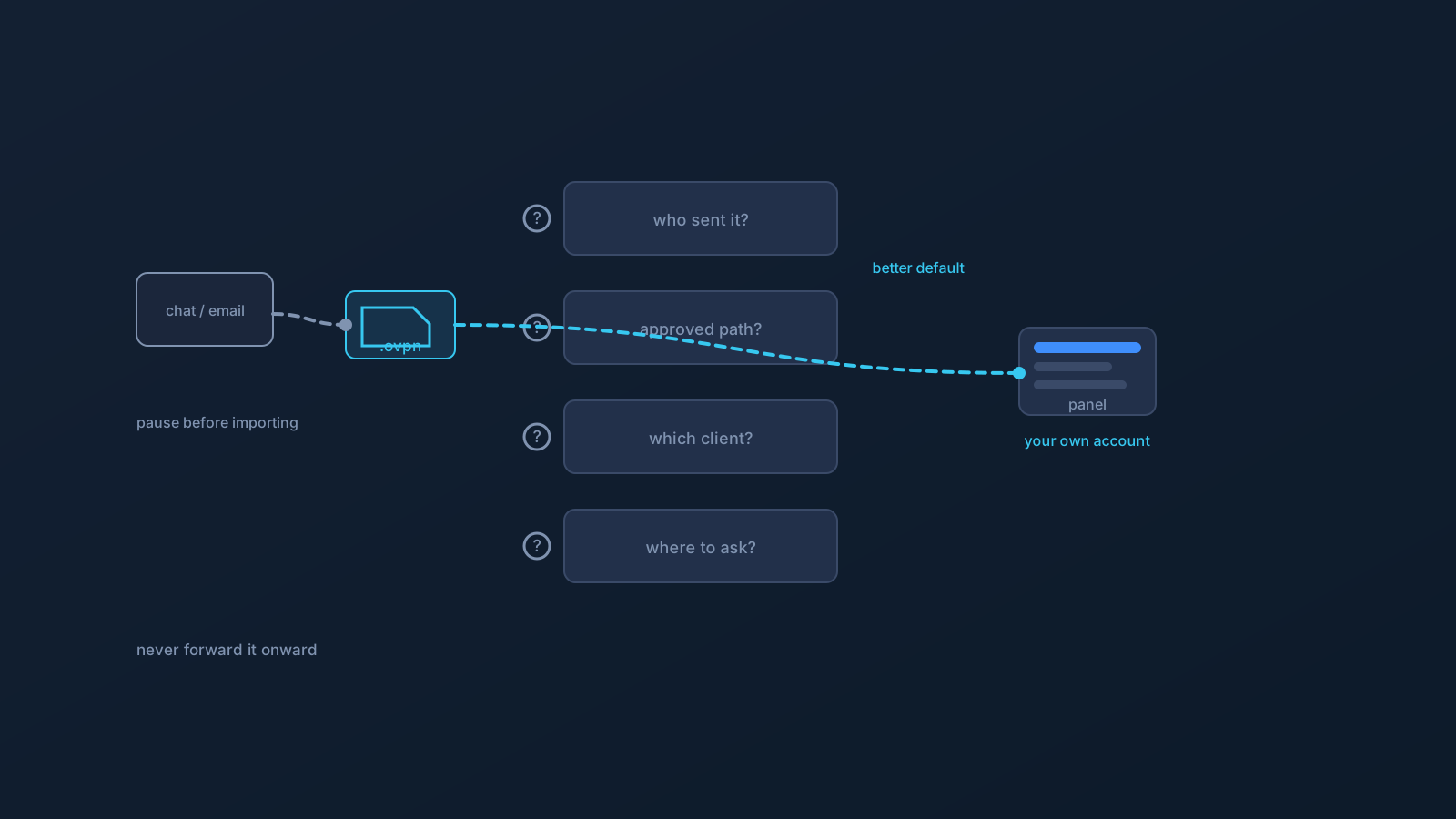
Someone on your team sends you a VPN profile file — in chat, by email, "to get you set up quickly." Before you import it, it's worth pausing, because a profile file arriving from someone else is exactly the moment to slow down and check a few things. This is that checklist.
There's also a better default hiding in plain sight, and this article gets to it: in most cases, the safest setup isn't vetting a file someone sent you — it's getting your own from your own account. But since received files do happen, here's how to think about one when it lands.
First, why pause at all
A VPN profile file carries the settings for how a specific profile connects, which makes it sensitive setup material — not a casual attachment. Profile files generally shouldn't be forwarded or shared between people, so a file arriving that way is worth a second look before it goes into your client. Pausing isn't paranoia; it's treating setup material with the care it warrants.
The rest of this checklist is what that second look consists of — and where it should usually lead.
Check: who actually sent it, and were you expecting it?
Start with provenance. Do you know who sent this, through a channel you trust, and were you expecting VPN setup material from them? An unexpected profile file — or one arriving through a channel that feels off — is a reason to stop and confirm through a known, trusted contact before doing anything with it. Setup material should come from people and places you can verify, not surprise arrivals.
If you can't confidently answer "yes, from a known source, as expected," that alone is enough to pause and check with your team's proper contact first.
Check: is this the approved setup path?
Even from a trusted colleague, a forwarded file may not be how your team is actually supposed to onboard. Many teams' approved path is that each person sets up from their own account rather than receiving a file — so before importing anything, it's worth knowing what your team's approved setup path actually is.
This is where the better default usually appears: if your team's approved path is your own account, the forwarded file isn't needed at all, and your own fresh download is both safer and more correct. When in doubt, that's the question to ask your team's setup contact: "should I set up from my own account instead?"
Check: which client, and do the instructions match your device?
If setup does proceed, the mechanics still need to line up. Which client are you meant to use — on the supported OpenVPN path, that's OpenVPN Connect — and do the instructions you were given actually match your operating system and device? Setup steps vary across platforms, so instructions written for someone else's device may not fit yours.
Mismatched instructions are a common source of confusion that has nothing to do with the profile itself. The setup guide for your specific device is the reliable reference, and the approved flow is the same one Lisar documents: download the .ovpn file, open OpenVPN Connect, choose Upload File, import and save the profile, and connect.
Check: where do you ask for help?
Before you're stuck is the time to know your support lanes. Who on your team answers setup questions, and where do Lisar-side questions go — the setup guides and official Lisar support? Knowing this in advance turns a snag into a quick question rather than a guessing session, and it means you're asking the right party rather than improvising.
A good onboarding hands you these contacts alongside any instructions. If you weren't given them, that's itself worth asking about.
The rule that stays constant: don't forward it onward
Whatever you do with a profile file you received, one rule holds firmly: don't pass it along further. Profile files, credentials, and setup details aren't for forwarding, re-sharing, or posting — not to the next new teammate, not into a shared folder, not anywhere. If someone after you needs setup, the same better default applies to them: their own file from their own account.
This is how the "received a file" situation stops propagating. Each person setting up from their own account is the pattern that keeps setup material where it belongs — and it's why, more often than not, the answer to "what should I check before using this profile someone sent me?" is "check whether you should be setting up from your own account instead."
The checklist, together
- Pause — a profile file arriving from someone else warrants a second look.
- Confirm who sent it and that you expected it, through a trusted channel.
- Find out your team's approved setup path — often, it's your own account, which makes the forwarded file unnecessary.
- Check which client to use and that the instructions match your actual device.
- Know where to ask for help, on both the team side and the Lisar side.
- Never forward the file onward — anyone after you sets up from their own account too.
Frequently asked questions
A teammate sent me a VPN profile file — should I just import it? Pause first. A profile file is sensitive setup material and generally shouldn't be forwarded between people, so confirm who sent it and whether you expected it, and check your team's approved setup path — which is often to set up from your own account instead.
How do I know if a received profile file is legitimate? Confirm the sender and channel are ones you trust and that you were expecting setup material. If anything feels off, stop and check with your team's proper setup contact through a known channel before importing anything.
Isn't using a sent file faster than setting up myself? Marginally, and usually not worth it. If your team's approved path is your own account, a fresh download from your own account is both safer and more correct — and it avoids the risks that come with forwarded files entirely.
The instructions I was given don't match my device. What do I do? Use the setup guide for your specific operating system and client instead — steps vary across platforms, so instructions for someone else's device may not fit yours. The supported client on the OpenVPN path is OpenVPN Connect.
Can I pass the profile file to the next new team member to help them out? No — don't forward it onward. Profile files aren't for re-sharing; anyone who needs setup gets their own from their own account. That's what keeps setup material where it belongs.