
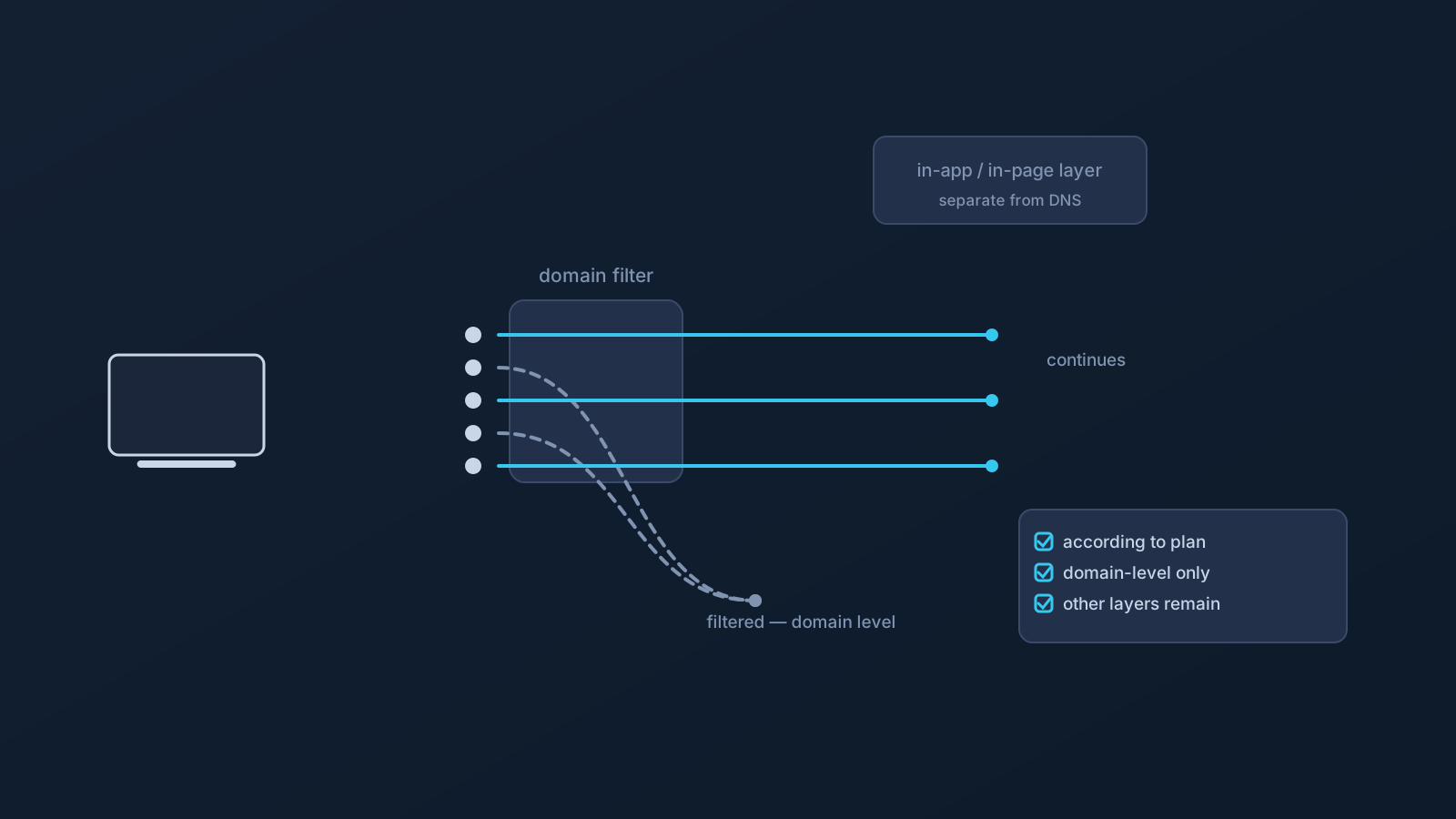
DNS filtering has one honest superpower and one honest ceiling, and understanding both is what makes it useful. The superpower: it works before a connection is even made, at the moment a device asks "where is this domain?" The ceiling: that moment is the only place it works. Everything that doesn't pass through a filterable DNS lookup is simply outside its reach.
Lisar's DNS AdBlock, where a plan includes it, applies this kind of DNS-level filtering. This article explains what that realistically reduces, why some ads and trackers still appear, and which layers remain a separate job.
What DNS-level filtering actually does
When an app or page needs something from a domain, the device first resolves that domain's name. DNS-level filtering sits at that step: lookups for certain domains can be answered differently, so the request toward that domain doesn't proceed the usual way.
That's the whole mechanism. It's domain-shaped by nature — the unit it works with is "this domain," not "this ad" or "this element on a page." Everything else about its behavior follows from that.
Why some ads still appear
Several kinds of ads don't have a separately filterable domain to act on. Some are served from the same domain as the content itself — filtering that domain would mean losing the page, so a same-domain ad rides along with the content. Some arrive through domains that are too central to general browsing to treat as ad infrastructure. And the set of domains involved in advertising shifts constantly, so any domain-based approach reflects a filtering policy at a point in time, not a complete inventory.
None of that is a flaw in DNS filtering; it's the shape of the layer. A realistic expectation is fewer domain-based ads and trackers where the feature applies — not an ad-free experience, and not every tracker gone.
Why some trackers still appear
Tracking has the same structure, plus one more wrinkle: a lot of tracking happens inside apps and pages themselves — code running where the content runs, measurement built into the same services being used. When the tracking and the content share a domain, or when the tracking never takes the form of a separate lookup at all, there's nothing at the DNS layer to act on.
So DNS filtering can reduce some tracker domains, and it leaves in-app and in-page behavior where it found it. Those are different layers with different controls.
The layers DNS filtering does not touch
It's worth naming the separation plainly. Controls that live inside a browser or an app — content settings, permission choices, per-site preferences — operate on what happens within the page or app, and DNS filtering neither includes nor replaces them. Device-level protections are their own layer too: DNS AdBlock is a filtering convenience for lookups, not a security tool, and it doesn't examine content, files, or behavior.
A good mental model: DNS filtering decides whether certain addresses get looked up. What happens inside the things you open is governed elsewhere.
Where availability comes from
GeoDNS, DNS AdBlock and Custom Exit are available according to plan. Whether DNS AdBlock applies to a specific profile is a plan fact, checked in the Lisar Panel or with official support — not something to assume from an article.
A realistic way to use it
Treat DNS AdBlock, where a plan includes it, as one quiet layer that reduces some unwanted DNS lookups that pass through the profile's DNS path — and keep using the in-browser and in-app controls you'd use anyway for the layers it doesn't touch. The combination is the point; no single layer is the whole answer.
Frequently asked questions
Will DNS filtering remove all ads? No. It works at the domain level, so it can reduce some domain-based ads, while same-domain ads and anything served without a separately filterable lookup still appear.
Does DNS AdBlock stop tracking inside apps and pages? Tracking that runs inside an app or page, or that shares a domain with the content, is outside the DNS layer. DNS filtering can reduce some tracker domains; in-app behavior is governed by other controls.
Is DNS AdBlock a security feature? No. It's a DNS-level filtering convenience, where a plan includes it. It doesn't examine content, files, or behavior, and device-level protections remain their own layer.
Do I have DNS AdBlock on my plan? That's a plan fact. GeoDNS, DNS AdBlock and Custom Exit are available according to plan — the Lisar Panel and official support are the places to check what applies to your profile.