
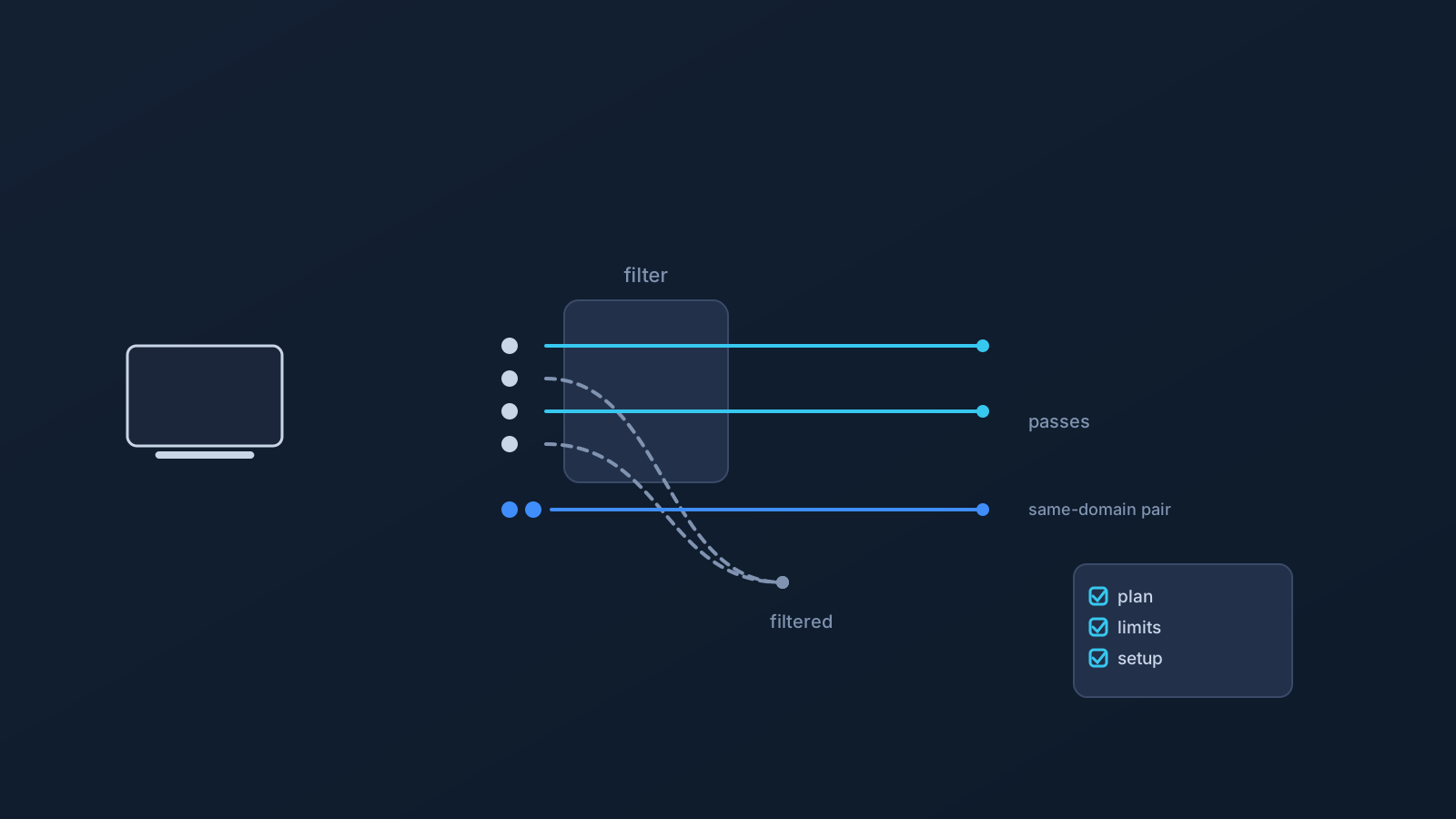
DNS AdBlock is one of the DNS-related features available on certain Lisar plans, and it may help reduce some unwanted ad-related network requests. Like most filtering tools, though, it has a specific job and specific limits.
Understanding what DNS-level filtering actually does, and what it doesn't, makes it a lot easier to use with the right expectations. It works differently from a browser-based ad blocker, and it isn't a stand-in for a full security or privacy setup.
What DNS-level filtering means
Every time a device loads a webpage or an app fetches something online, it first needs to look up where a domain name actually points, a step called DNS resolution. DNS-level filtering works at that step: certain known ad-related or other unwanted domains can be filtered out before a connection to them is even made.
That's a different job from scanning a page after it loads. It's more like not dialing a number in the first place, rather than hanging up once someone answers. Kept at that level, DNS filtering is a fairly simple, upfront kind of filtering, not a detailed inspection of everything a device sends or receives.
How DNS AdBlock differs from browser ad blockers
Browser-based ad blockers work differently: they run inside the browser itself, so they can look at the actual page as it loads and remove or hide specific elements based on what's on that page.
DNS-level filtering doesn't do that. It acts earlier, before a page even starts loading, by filtering domain requests rather than inspecting page content. DNS AdBlock is not a browser extension, and it isn't trying to replace one. The two approaches work at different layers, and neither is simply better than the other; they catch different things, which is part of why some people find value in both.
What DNS AdBlock may help reduce
Where it applies, DNS AdBlock can reduce some ad-related DNS requests before they happen, along with some other unwanted DNS lookups that filtering covers. Depending on how a particular site or app serves its content, that can mean less clutter from some of the domains covered by filtering rules.
The key word is some. Filtering works against known, filterable domains, not against every possible source of ads or unwanted requests, which is covered in more detail next.
What DNS AdBlock cannot guarantee
To set expectations clearly:
- It doesn't block every ad. Some ads will still get through, depending on how and where they're served.
- It doesn't remove every in-page ad. Ads that are part of a page's own content or layout aren't something DNS filtering can reach.
- It can't reliably block ads served from the same domain as the main content, since filtering by domain doesn't distinguish between the content and the ad if they share an address.
- It doesn't guarantee faster browsing.
- It doesn't guarantee anonymity.
- It doesn't guarantee bypassing or unblocking anything.
- It doesn't mean every device or router setup is supported.
- It doesn't replace antivirus, malware protection, endpoint security, or safe browsing habits, and it isn't a substitute for browser-level controls where those are what's actually needed.
Why same-domain ads and app traffic can be harder
Some services serve their ads or other unwanted content from the very same domain that also delivers their actual content, or route both through a shared app backend. DNS-level filtering works by domain, so when an ad and the content it's attached to come from the same address, there often isn't a safe way to block just one without risking the other.
This is a structural limit of how DNS filtering works in general, not a gap specific to any one provider's DNS AdBlock feature. It's a good reason not to expect DNS-level filtering alone to catch everything, especially on services designed that way.
Device, router, and setup considerations
How noticeable DNS AdBlock's effect is can vary by device and setup method, since different devices and apps make DNS requests a little differently.
Router or network-device setup is a separate scenario from a single desktop or mobile device, and it applies only to compatible routers and network devices, not routers in general. Company-managed devices can add their own restrictions on top, through IT policy or device management settings. Lisar's setup guidance is the place to check what applies to a specific device or setup path, rather than assuming one setup automatically behaves like another.
Plan and availability considerations
DNS AdBlock isn't automatically part of every plan or every setup. Availability depends on plan and, in some cases, custom review.
The Lisar panel and pricing page are the places to check what's included for a specific account, rather than assuming DNS AdBlock is active by default. If it isn't showing as available, that's a plan or setup question worth checking there directly.
Frequently asked questions
Does DNS AdBlock block all ads? No. It can reduce some ad-related domain requests, but ads served in other ways, including from the same domain as the main content, may still get through.
Is DNS AdBlock the same as a browser ad blocker? No. Browser extensions inspect the page itself as it loads; DNS AdBlock filters domain requests earlier, before a page loads, and isn't a browser extension.
Does DNS AdBlock replace antivirus or malware protection? No. It's a DNS-level filtering feature, not antivirus, malware protection, endpoint security, or a substitute for safe browsing habits.
Will DNS AdBlock make my connection faster or more anonymous? No. It doesn't guarantee speed or anonymity, and it isn't designed as a bypass or unblocking feature.
Is DNS AdBlock included with every Lisar plan? No. Availability depends on plan and, in some cases, custom review. The Lisar panel and pricing page show what applies to a specific account.
Will DNS AdBlock work the same way on my router as on my laptop or phone? Not automatically. Router and network-device setup is a separate scenario that applies only to compatible routers and network devices, and results can vary by device and setup method.
Why do some ads still get through even with DNS AdBlock on? Some ads and other unwanted content are served from the same domain as the actual content, which DNS-level filtering generally can't separate safely, so those can still come through.