
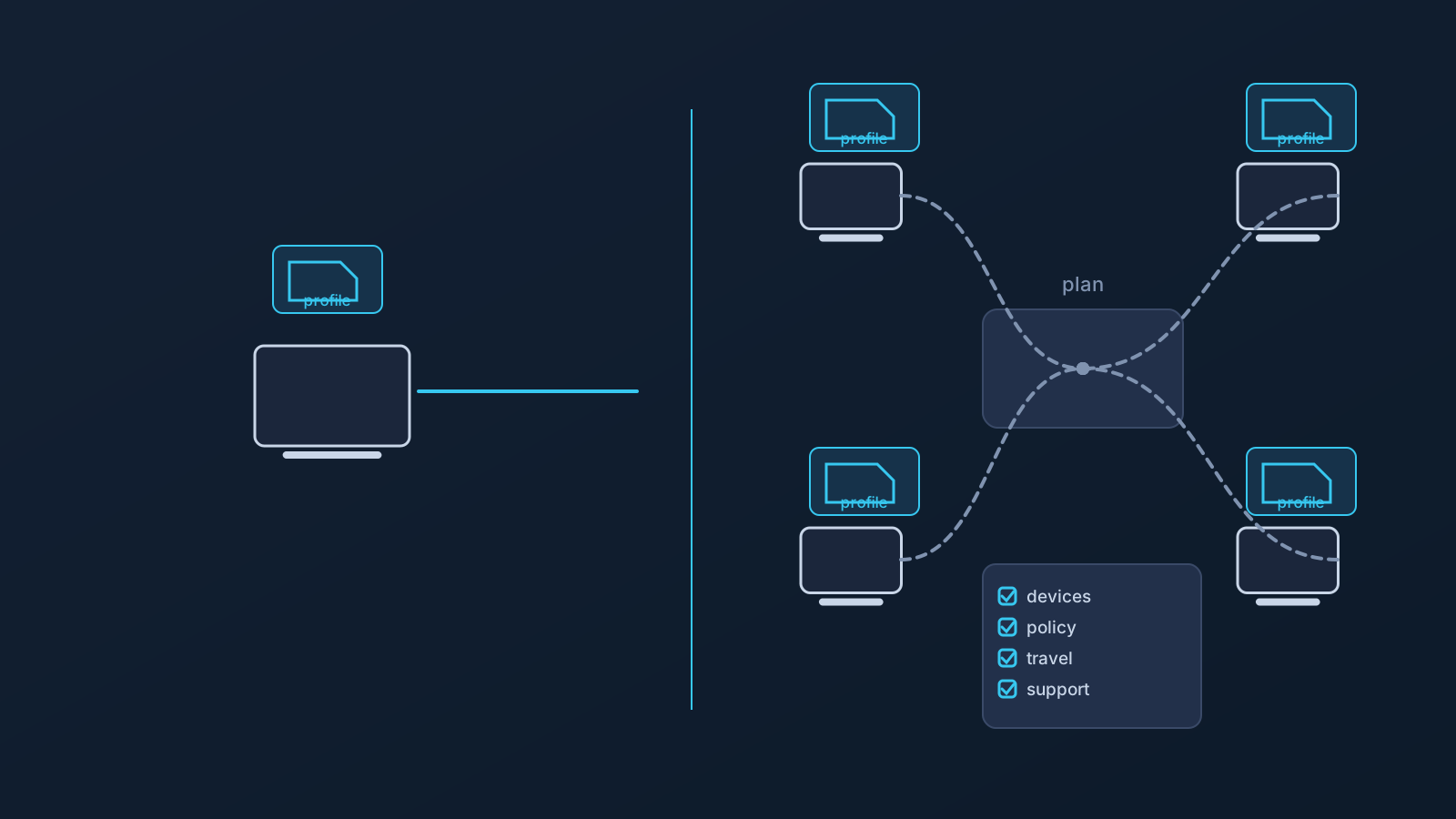
The difference between a personal VPN and a business VPN isn't primarily the product — it's the planning. One person picks a setup that suits their own devices and habits, and if something breaks, they fix it or shrug. A small team can't operate that way, and teams that try to scale a personal VPN mindset across employees and contractors usually discover the difference the hard way: through shared credentials in chat threads, devices that won't take the app, and nobody owning support.
This article is the comparison itself: what personal VPN thinking assumes, where those assumptions stop holding for a team, and what business VPN planning has to answer instead. A VPN, personal or business, doesn't guarantee access, speed, anonymity, country behavior, or corporate security — the difference lies in how the setup is planned, not in what it promises.
Personal VPN use is usually one-person planning
Personal VPN use has a simple shape: one user, one or two devices they chose themselves, one set of preferences, and nobody else affected by their decisions. Setup is whatever works for them; support is themselves; the consequences of a bad habit, like reusing an old screenshot for setup, land on one person.
That shape is why personal VPN thinking feels easy — and why it's a poor template for anything bigger. Every simplifying assumption in it (my device, my choice, my problem) breaks the moment a second person is involved.
Small teams create different VPN setup questions
A team turns each of those assumptions into a question. Whose devices — company-issued, personal, contractor-owned? Whose choice of setup path, when devices span OS versions and app-store situations? Whose problem when someone can't connect the morning of a client call?
Business VPN planning is the discipline of answering those questions before they're urgent: who needs setup, on which devices, through which supported paths, with profile information coming from where, and with support owned by whom. None of that is enterprise-scale complexity — it's ordinary operational clarity that a small team can establish in an afternoon, and that a personal-VPN mindset never prompts anyone to establish at all.
Why shared credentials and copied setup details create risk
The most common personal habit that damages teams is casual sharing: a downloaded .ovpn profile file forwarded to the new contractor, setup details pasted into the team channel, a screenshot of a working configuration passed around as documentation.
Each user should rely on profile-specific setup information from their own Lisar panel profile where applicable, and teams should not share downloaded .ovpn profile files, credentials, or profile details through shared documents or chat threads. Shared setup details can be inaccurate, outdated, exposed, or in front of people who were never meant to have them — and in a team context, nobody is watching old chat history for what's still sitting there. The "VPN Profile File Safety" article covers the full set of habits.
Company-managed devices change the answer
Personal VPN thinking assumes the user controls the device. Teams often can't assume that: company-managed devices can restrict app installs, VPN profiles, certificates, and network settings, and client-managed hardware adds the same constraints from the other direction.
VPN setup works within device policy, not around it. For a team, that means device policy is a planning input from the start — knowing which devices are managed before rollout, and involving whoever owns that policy early — rather than an exception discovered mid-deployment.
Travel and remote work make setup planning more important
A personal user who travels adapts on the fly. A team with traveling members needs travel to be part of the plan: setup tested on the actual travel devices before departure, guides on hand for new devices, and the understanding that no hotel, airport, coworking, mobile, or public network is guaranteed to allow or support every setup.
Team members working abroad longer-term add another layer: home-country services can behave differently from abroad regardless of VPN setup, because services apply their own account, device, and policy checks. The "Using a VPN While Traveling" and "Home-Country Online Services While Abroad" articles cover both in depth.
Router and shared-network scenarios are business planning questions
Personal users almost never think about network-device-level VPN setup. Businesses sometimes should: a small office or shared workspace can make router or network-device setup worth considering alongside per-device setup.
That's a business planning question with real constraints — it applies only to compatible routers and network devices, doesn't cover every device the same way, and for business or custom scenarios may involve setup guidance, pricing guidance, custom review, and official support rather than anything self-service. The "VPN on a Router vs VPN on Each Device" and "Router VPN for Small Offices and Travel Teams" articles cover the decision and the expectations respectively.
Where Custom Exit, GeoDNS, and DNS AdBlock may fit
Business planning also includes checking plan-dependent features rather than assuming them. Custom Exit relates to VPN traffic exit behavior where eligible, can matter in some business routing contexts, and typically involves custom review — it isn't a universal country switch, an arbitrary location choice, a content-access guarantee, or self-service location switching. GeoDNS is DNS-related behavior where available, not a guaranteed region switch and not the same thing as Custom Exit. DNS AdBlock may help reduce some unwanted DNS requests where available; it isn't endpoint security, antivirus, malware protection, or browser-level ad blocking.
All three depend on plan and, in some cases, custom review. Each has its own article and feature page — the business-planning takeaway is simply that eligibility gets checked, not assumed.
What a business VPN still cannot guarantee
Moving from personal to business planning changes the questions, not the physics. A business VPN setup doesn't guarantee access to company systems or to any website, app, portal, SaaS platform, work tool, or service; doesn't guarantee bypassing or unblocking anything; doesn't guarantee that any service will treat users as being in a chosen country; doesn't change anyone's physical location; and doesn't guarantee anonymity or speed.
It also doesn't provide enterprise-grade controls or replace endpoint security, IAM, SSO, MDM, firewall policy, device policy, compliance processes, employer IT rules, access-control planning, or official support. A VPN is one part of a team's planning, not the whole security stack — and this article isn't legal, compliance, security-architecture, or IT-policy advice.
Frequently asked questions
Is a business VPN a different product from a personal VPN? The bigger difference is planning, not product. Business use means multiple users, devices, policies, travel, and support ownership — questions personal VPN use never has to answer.
Can our team just share one account or .ovpn profile file to keep things simple?
No. Each person should use profile-specific setup information from their own Lisar panel profile where applicable, and downloaded .ovpn profile files, credentials, and profile details shouldn't move through shared documents or chat threads.
Do we need special enterprise features to set up a small team? No — and this isn't about enterprise-grade controls. Small-team planning is ordinary operational clarity: who needs setup, which devices, which supported paths, and who owns support.
Will VPN setup work on our company-managed devices? Not automatically. Managed devices can restrict app installs, profiles, and settings, and VPN setup works within those policies. Check device policy before planning the rollout.
Should our office use router-based VPN setup instead of per-device setup? That's a planning question, not a default. Router setup applies only to compatible routers and network devices and may involve custom review and official support for business scenarios.
Do Custom Exit, GeoDNS, or DNS AdBlock come with every plan? No. All three depend on plan and, in some cases, custom review — eligibility should be checked, not assumed.
Does moving to business VPN planning guarantee our team access to our tools from anywhere? No. No VPN setup guarantees access to company systems, SaaS platforms, or any service, and services and employers apply their own rules regardless.